FREE SHIPPING BOTH WAYS
ON EVERY ORDER!
LIST PRICE:
$174.00

Sorry, this item is currently unavailable.

Principles of Web Design, Third Edition
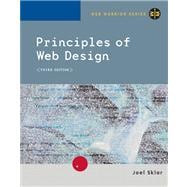
ISBN: 9780619216665 | 0619216662
Edition: 3rd
Format: Paperback
Publisher: Course Technology
Pub. Date: 2/9/2005

Why Rent from Knetbooks?

Because Knetbooks knows college students. Our rental program is designed to save you time and money. Whether you need a textbook for a semester, quarter or even a summer session, we have an option for you. Simply select a rental period, enter your information and your book will be on its way!

Top 5 reasons to order all your textbooks from Knetbooks:

  • We have the lowest prices on thousands of popular textbooks
  • Free shipping both ways on ALL orders
  • Most orders ship within 48 hours
  • Need your book longer than expected? Extending your rental is simple
  • Our customer support team is always here to help
SummaryTable of Contents
This text will help your students plan and develop well designed Web sites that combine effective navigation with the balanced use of graphics, text, and color.
Prefacexiv
Understanding the Web Design Environment
1(28)
The Current State of HTML
2(3)
... MORE
HTML: Then and Now
2(1)
HTML and the World Wide Web Consortium
2(1)
The Limitations of HTML
3(1)
The Need for Style Sheets
3(2)
Organizing Information with Hypertext
5(1)
Moving from HTML to XHTML
5(8)
A Brief Introduction to XML
6(1)
Benefits of Moving to XHTML
7(1)
XHTML Syntax Rules
8(2)
Style Sheets Are Required
10(1)
Migrating from HTML to XHTML
11(1)
Choosing an HTML Editor
12(1)
Variables in the Web Design Environment
13(4)
Browser Compatibility Issues
13(2)
Creating Cross-browser Compatible Pages
15(1)
Solving the Browser Dilemma
16(1)
Considering Connection Speed Differences
17(1)
Working with the Cache to Improve Download Time
18(1)
Coding for Multiple Screen Resolutions
18(6)
Fixed Design
18(2)
Flexible Design
20(2)
Centered Design
22(2)
Operating System Issues
24(1)
Chapter Summary
24(1)
Review Questions
25(1)
Hands-on Projects
26(2)
Case Project
28(1)
Web Site Design Principles
29(40)
Design for the Computer Medium
30(4)
Craft the Look and Feel
30(1)
Make Your Design Portable
30(1)
Design for Low Bandwidth
31(1)
Plan for Easy Access to Your Information
32(1)
Plan for Clear Presentation of Your Information
33(1)
Create a Unified Site Design
34(7)
Plan Smooth Transitions
36(2)
Use a Grid to Provide Visual Structure
38(1)
Use Active White Space
39(2)
Design for the User
41(19)
Design for Interaction
43(4)
Design for Location
47(1)
Guide the User's Eye
48(4)
Keep a Flat Hierarchy
52(1)
Use the Power of Hypertext Linking
53(4)
How Much Content Is Enough?
57(1)
Design for Accessibility
57(3)
Design for the Screen
60(4)
Reformat Content for Online Presentation
61(3)
Chapter Summary
64(1)
Review Questions
65(1)
Hands-on Projects
66(1)
Case Project
67(2)
Planning the Site
69(24)
Create a Site Specification
70(1)
Identify the Content Goal
70(2)
Analyze Your Audience
72(3)
Identify Technology Issues and Constraints
74(1)
Identify Software Tools
75(1)
Build a Web Site Development Team
75(1)
Create Conventions for Filenames and URLs
76(3)
Naming Files
77(1)
Case Sensitivity
77(1)
Character Exceptions
77(1)
File Extensions
78(1)
Solving the Filename Dilemma
78(1)
The Default Main Page Name
78(1)
Using URLs
79(1)
Partial URLs
79(1)
Set a Directory Structure
79(4)
Relative versus Absolute Paths
81(1)
Building a Relative File Structure
81(2)
Create a Site Storyboard
83(7)
Organize the Information Structure
84(1)
Linear Structure
84(1)
Tutorial Structure
85(1)
Web Structure
86(1)
Hierarchical Structure
87(1)
Cluster Structure
88(1)
Catalog Structure
89(1)
Chapter Summary
90(1)
Review Questions
90(1)
Hands-on Projects
91(1)
Case Projects
92(1)
Planning Site Navigation
93(32)
Creating Usable Navigation
94(3)
Locating the User
95(1)
Limiting Information Overload
96(1)
Building Text-based Navigation
97(1)
Linking with a Text Navigation Bar
98(14)
Linking to Individual Files
101(1)
Adding Internal Linking
102(2)
Adding an Internal Navigation Bar
104(3)
Linking to External Document Fragments
107(3)
Adding Page Turners
110(2)
Adding Contextual Linking
112(2)
Using Graphics for Navigation and Linking
114(7)
Using Text Images for Navigation
114(1)
Using Icons for Navigation
115(3)
Using the alt Attribute
118(3)
Chapter Summary
121(1)
Review Questions
121(1)
Hands-on Projects
122(1)
Case Projects
123(2)
Creating Page Templates
125(44)
Understanding Table Basics
126(6)
Using Table Elements
126(4)
Spanning Columns
130(1)
Spanning Rows
131(1)
Formatting Tables
132(6)
Choosing Relative or Fixed Table Widths
132(3)
Determining the Correct Fixed Width for a Table
135(1)
Removing Default Table Spacing
136(2)
Table Pointers for Well-designed Tables
138(5)
Writing Table Code That Is Easy to Read
138(1)
Removing Extra Spaces
138(1)
Centering Tables
139(1)
Stacking Tables
140(1)
Nesting Tables
140(3)
Creating a Page Template
143(16)
Building the Basic Table Structure
143(2)
Setting a Fixed Width
145(1)
Creating the Page Banner Cell
146(1)
Creating the Feature Article Cell
146(2)
Creating the Link Column Cells
148(2)
Setting the Column Widths
150(9)
Evaluating Examples of Page Templates
159(5)
Two-column Template
159(1)
Two-column with Banner Template
160(1)
Three-column Template
160(2)
Three-column with Banner Template
162(1)
Three-column Sectioned Template
163(1)
Three-column Main Sectioned Template
163(1)
Chapter Summary
164(1)
Review Questions
165(1)
Hands-on Projects
166(1)
Case Project
167(2)
Introducing Cascading Style Sheets
169(22)
Understanding CSS Style Rules
170(3)
Combining CSS Style Rules with XHTML
171(1)
Adding Comments
172(1)
Building a Basic Style Sheet
173(2)
Understanding the Cascade
175(4)
Determining Rule Weight with the !important Keyword
176(1)
Determining Rule Weight by Origin
176(1)
Determining Rule Weight by Specificity
177(1)
Determining Rule Weight by Order
177(1)
Understanding Inheritance
177(2)
Understanding Basic Selection Techniques
179(5)
Using Type Selectors
179(1)
Grouping Selectors
179(1)
Combining Declarations
180(1)
Using Descendant Selectors
180(1)
Using the Basic Selection Techniques
180(4)
Understanding Advanced Selection Techniques
184(3)
Using the class Attribute Selector
184(2)
Using the <div> and <span> Elements
186(1)
Chapter Summary
187(1)
Review Questions
188(1)
Hands-on Projects
188(2)
Case Project
190(1)
Web Typography
191(42)
Understanding Type Design Principles
192(4)
Choose Fewer Fonts and Sizes
192(1)
Use Available Fonts
193(1)
Design for Legibility
194(1)
Avoid Using Text as Graphics
195(1)
Understanding CSS Measurement Units
196(4)
Absolute Units
197(1)
Relative Units
197(1)
The em Unit
197(1)
The ex Unit
198(1)
The px Unit
198(1)
Percentages
198(2)
Using the CSS Font Properties
200(6)
Specifying Font Family
200(2)
Specifying Font Size
202(1)
Specifying Font Style
203(1)
Specifying Font Variant
204(1)
Specifying Font Weight
205(1)
Using the Font Shortcut Property
205(1)
Using the CSS Text Spacing Properties
206(10)
Specifying Text Indents
207(1)
Specifying Text Alignment
208(2)
Specifying Text Decoration
210(1)
Specifying Line Height
211(1)
Specifying Vertical Alignment
212(2)
Specifying Letter Spacing
214(1)
Specifying Word Spacing
215(1)
Creating a Font and Text Properties Style Sheet
216(13)
Naming the Style Classes
219(1)
Adding the <style> Section
219(1)
Styling the Banner Class
220(1)
Styling the Tagline Class
221(1)
Styling the Headline
222(2)
Styling the Subhead
224(2)
Styling the Body Copy
226(1)
Adding a small caps Span
227(2)
Chapter Summary
229(1)
Review Questions
230(1)
Hands-on Projects
231(1)
Case Project
232(1)
Graphics and Color
233(54)
Understanding Graphics File Formats
234(6)
GIF
234(2)
JPG
236(1)
PNG
237(1)
SVG
237(1)
Using Interlacing and Progressive Display
238(1)
Where You Can Find Images
239(1)
Choosing the Right Format
240(1)
Choosing a Graphics Tool
240(1)
Using the <img> Element
241(7)
Replacing img Attributes with Style Sheet Properties
242(1)
Specifying alt and title Attribute Text
242(2)
Specifying Image Width and Height
244(3)
Sizing Graphics for the Page
247(1)
Controlling Image Properties with CSS
248(4)
Removing the Hypertext Border
248(1)
Aligning Text and Images
249(1)
Floating Images
250(1)
Adding White Space Around Images
250(2)
Understanding Computer Color Basics
252(4)
Color Depth
252(1)
Dithering
252(1)
Using the Web Palette
253(1)
Using Color Wisely
253(1)
Specifying CSS Color Values
254(1)
Using Color Names
254(1)
Using RGB Color Values
254(1)
Using Hexadecimal Color Values
255(1)
Understanding Element Layers
255(1)
Controlling Color Properties with CSS
256(6)
Specifying Color Values
257(1)
Setting Default Text Color
258(1)
Changing Link Colors
258(1)
Specifying Background Color
258(2)
Setting the Page Background Color
260(1)
Creating a Text Reverse
261(1)
Using Background Color in Tables
261(1)
Working with Images and Color
262(5)
Controlling Background Images with CSS
267(10)
Specifying a Background Image
267(2)
Creating a Page Background
269(1)
Creating an Element Background
269(1)
Specifying Background Repeat
270(1)
Creating a Vertical Repeat
270(1)
Creating a Horizontal Repeat
271(1)
Creating a Nonrepeating Background Image
271(2)
Specifying Background Position
273(1)
Creating a Centered Background Image
274(1)
Positioning Vertical and Horizontal Background Images
275(2)
Applying the Background Properties
277(5)
Chapter Summary
282(1)
Review Questions
283(1)
Hands-on Projects
284(1)
Case Project
285(2)
Using the Box Properties
287(38)
The CSS Visual Formatting Model
288(2)
Specifying Element Display Type
289(1)
Using the CSS Box Model
290(3)
Measurement Values
293(1)
Using the Margin Properties
293(5)
Specifying Margins
293(2)
Specifying the Individual Margin Properties
295(1)
Negative Margins
295(2)
Collapsing Margins
297(1)
Using the Padding Properties
298(3)
Specifying Padding
298(2)
Specifying the Individual Padding Properties
300(1)
Using the Border Properties
301(9)
Specifying Border Style
302(2)
Specifying Border Width
304(3)
Specifying Border Color
307(1)
Using the Border Shorthand Properties
308(1)
Specifying Borders
309(1)
Specifying Individual Borders
309(1)
Using the Special Box Properties
310(7)
Width
311(1)
Height
311(1)
Float
312(2)
Clear
314(3)
Applying the Box Properties
317(3)
Chapter Summary
320(1)
Review Questions
320(1)
Hands-on Projects
321(3)
Case Project
324(1)
Working with Forms
325(34)
Understanding How Forms Work
326(1)
Using the <form> Element
327(1)
Creating Input Objects
328(13)
Using the <select> Element
337(2)
Using the <textarea> Element
339(1)
Creating Input Groupings
340(1)
Building Forms within Tables
341(3)
Building and Testing a Sample Form
344(9)
Adding Check Boxes
345(1)
Adding a List Box and Radio Buttons
346(2)
Adding Submit and Reset Buttons
348(3)
Testing the Form
351(2)
Chapter Summary
353(1)
Review Questions
354(1)
Hands-on Projects
354(4)
Case Project
358(1)
Publishing and Maintaining Your Web Site
359(14)
Publishing Your Web Site
360(5)
Choosing a Web Hosting Service Provider
360(2)
Registering a Domain Name
362(1)
ISP Comparison Checklist
363(1)
Using the File Transfer Protocol to Upload Files
363(2)
Testing Your Web Site
365(2)
Testing Considerations
365(1)
User Testing
366(1)
Refining and Updating Your Content
367(1)
Attracting Notice to Your Web Site
367(3)
Working with Search Engines
368(1)
Use Meaningful Titles
368(1)
Using <meta> Elements
368(1)
Be Careful with Frames
369(1)
Use alt Text with Images
370(1)
Submit URLs to Search Engines
370(1)
Chapter Summary
370(1)
Review Questions
371(1)
Hands-on Projects
371(1)
Case Project
372(1)
Appendix A XHTML Reference
373(18)
Core Attributes
374(1)
Alphabetical XHTML Reference
374(6)
Categorical XHTML Reference
380(6)
Global Structure Elements
380(1)
Text Elements
381(1)
List Elements
382(1)
Table Elements
382(2)
Link Elements
384(1)
Inclusion Element
384(1)
Style Sheet Element
384(1)
Formatting Elements
385(1)
Frame Elements
385(1)
Numeric and Character Entities
386(5)
Appendix B CSS Reference
391(16)
CSS Notation Reference
392(1)
Alphabetical CSS Property Reference
392(4)
CSS Properties by Category
396(5)
CSS Measurement Units
401(1)
ISO 369 Two-Letter Language Codes
402(5)
Glossary407(4)
Index411

Related Products


  • Principles of Web Design
    Principles of Web Design
  • Principles of Web Design
    Principles of Web Design
  • Principles of Web Design
    Principles of Web Design
  • Principles of Web Design: The Web Technologies Series, 5th Edition
    Principles of Web Design: The ...
  • Principles of Web Design The Web Technologies Series
    Principles of Web Design The W...


Please wait while this item is added to your cart...