Free Shipping On Every Order



Amazon no longer offers textbook rentals. We do!
Adobe Illustrator CS5 Classroom in a Book
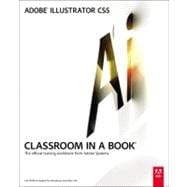
Adobe Illustrator CS5 Classroom in a Book
- ISBN 13:
9780321701787
- ISBN 10:
032170178X
- Edition: 1st
- Format: Paperback w/CD
- Copyright: 05/24/2010
- Publisher: Adobe Press
- Newer Edition
 Free Shipping On Every Order
List Price $54.99 Save $1.92
This is a hard-to-find title. We are making every effort to obtain this item, but do not guarantee stock.
 We Buy This Book Back!
.svg "Free Shipping On Every Order") Free Shipping On Every Order
Free Shipping On Every Order
Note: Supplemental materials are not guaranteed with Rental or Used book purchases.
Extend or Purchase Your Rental at Any Time
Need to keep your rental past your due date? At any time before your due date you can extend or purchase your rental through your account.
Summary
Creative professionals seeking the fastest, easiest, most comprehensive way to learn Adobe Illustrator CS5 choose Adobe Illustrator CS5 Classroom in a Book from the Adobe Creative Team at Adobe Press. The 15 project-based lessons in this book show readers step-by-step the key techniques for working in Illustrator CS5.
Readers learn how to create vector artwork for virtually any project and across multiple media: print, websites, interactive projects, and video. In addition to learning the key elements of the Illustrator interface, they'll learn how to integrate their artwork with Adobe Flash movies, Adobe In Design layouts, and Adobe Flash Catalyst software to add interaction to their designs.
This completely revised CS5 edition covers new perspective drawing tools, variable-width watercolor strokes, multiple art boards with video-specific presets, the new realistic Bristle brush and Shape Builder tool, and the ability to maintain consistent raster effects across media.
Classroom in a Book®, the best-selling series of hands-on software training workbooks, helps you learn the features of Adobe software quickly and easily. Classroom in a Book offers what no other book or training program does an official training series from Adobe Systems Incorporated, developed with the support of Adobe product experts.
“The Classroom in a Book series is by far the best training material on the market. Everything you need to master the software is included: clear explanations of each lesson, step-by-step instructions, and the project files for the students.” -Barbara Binder, Adobe Certified Instructor, Rocky Mountain Training
Author Biography
Read moreTable of Contents
Read moreSupplemental Materials
Read moreRelated Products