Free Shipping On Every Order



Amazon no longer offers textbook rentals. We do!
Practical Computer Literacy
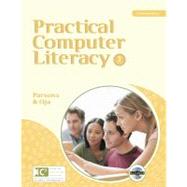
Practical Computer Literacy
- ISBN 13:
9780538742153
- ISBN 10:
0538742151
- Edition: 3rd
- Format: Paperback
- Copyright: 09/10/2010
- Publisher: Cengage Learning
- Newer Edition
 Free Shipping On Every Order
Note: Supplemental materials are not guaranteed with Rental or Used book purchases.
Extend or Purchase Your Rental at Any Time
Need to keep your rental past your due date? At any time before your due date you can extend or purchase your rental through your account.
Summary
PRACTICAL COMPUTER LITERACY, Third Edition, provides clear, comprehensive instruction on the basics of computer literacy. This convenient, reader-friendly text integrates computer concepts, Microsoft Office 2010 applications, and Internet essentials within a streamlined package. Concise lessons within each chapter, usually one page in length, are presented in an appealing Frequently Asked Questions format and include full-color screenshots or diagrams.
Additionally, the textbook comes with a robust BookOnCD, which is a digital version of the textbook that brings the book to life with videos, animated diagrams, software tours and provides assessment opportunities via WebTrack technology.
Features:
- This convenient text provides thorough, effective instruction on basic computer skills by integrating coverage of essential computer and Internet concepts and Microsoft Office 2010 skills within a streamlined, reader-friendly package.
- The accompanying Book-on-CD features animations, screen tours, and hands-on activities in a simulated environment, providing an ideal complement to the text and an appealing way to enhance learning.
- WebTrack enables instructors to easily track student activities in order to monitor progress, assess learning, and make adjustments as needed throughout the course.
- Nearly fifty projects in the back of the book allow students to develop their skills by applying what they learn to real-world scenarios they are likely to encounter in their personal and professional lives.