FREE SHIPPING BOTH WAYS
ON EVERY ORDER!
LIST PRICE:
$104.96

OUR PRICE:
$11.74

You may extend rentals at any time.


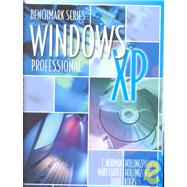
Microsoft Windows Xp Professional

ISBN: 9780763816001 | 0763816000
Edition: Spiral
Format: Paperback
Publisher: Emc Pub
Pub. Date: 7/1/2002

Why Rent from Knetbooks?

Because Knetbooks knows college students. Our rental program is designed to save you time and money. Whether you need a textbook for a semester, quarter or even a summer session, we have an option for you. Simply select a rental period, enter your information and your book will be on its way!

Top 5 reasons to order all your textbooks from Knetbooks:

  • We have the lowest prices on thousands of popular textbooks
  • Free shipping both ways on ALL orders
  • Most orders ship within 48 hours
  • Need your book longer than expected? Extending your rental is simple
  • Our customer support team is always here to help
Table of Contents
Prefacevii
Introduction to Windows XP1(2)
Navigating Windows XP
3(38)
Launching Windows
... MORE(1)
Working with the Mouse
4(5)
Moving the Mouse
4(2)
Clicking
6(1)
Double-clicking
6(1)
Right-clicking
6(2)
Dragging and Dropping
8(1)
Logging on to Windows
9(1)
Using the Windows Desktop
10(8)
Using the Taskbar
11(6)
Using Tool Tips
17(1)
Controlling Windows
18(7)
Maximizing and Restoring a Window
18(1)
Minimizing a Window
19(1)
Closing a Window
19(1)
Resizing a Window
20(1)
Moving a Window
21(2)
Arranging from the Taskbar
23(2)
Making Choices
25(4)
Selecting from a Menu
25(1)
Working with Dialog Boxes
26(2)
Using the Keyboard to Make Selections
28(1)
Opening the Recycle Bin
29(1)
Displaying Desktop Items
30(1)
Managing Desktop Icons
31(2)
Closing Windows Sessions
33(5)
Logging Off
33(1)
Switching Users
33(1)
Sending User Messages
34(2)
Restarting Windows
36(1)
Shutting Down Your Computer
37(1)
Dealing with Computer Lockups
37(1)
Chapter Summary
38(1)
Commands Review
38(1)
Concepts Check
38(1)
Skills Check
39(2)
Customizing Your System
41(50)
Using the Control Panel
41(4)
Accessing the Control Panel
41(1)
Category View versus Classic View
42(3)
Choosing Display Options
45(14)
Selecting Themes
45(1)
Selecting Desktop Backgrounds
46(3)
Setting Up a Screen Saver
49(2)
Using Energy Saver Settings
51(5)
Choosing Color Schemes
56(2)
Setting Screen Resolution
58(1)
Taskbar Options
59(3)
Unlocking the Taskbar
60(1)
Moving the Taskbar
61(1)
Date, Time, Language and Regional Settings
62(5)
Date and Time
63(3)
Determining Regional Settings
66(1)
Mouse Options
67(5)
Changing Basic Mouse Response
67(2)
Mouse Pointers
69(1)
Mouse Visibility
70(2)
Setting Printers
72(13)
Adding a New Local Printer
72(8)
Setting Printer Preferences
80(4)
Making a Printer the Default
84(1)
Chapter Summary
85(1)
Commands Review
86(1)
Concepts Check
86(1)
Skills Check
87(4)
File Management Basics
91(42)
Retrieving and Storing Data and Information
91(1)
Disk Basics
92(1)
Working with My Computer
92(7)
My Computer Views
93(3)
Disk Drive Options
96(1)
Disk Properties
97(2)
Folders View
99(1)
Viewing Disk Drive Contents
99(2)
Using Task Panes
101(1)
Working with Windows Explorer
102(11)
Window Parts
102(1)
Folder and File Hierarchy Tree
103(1)
Changing Icon Views
104(1)
File Attributes
104(1)
Displaying File Extensions
105(2)
Using Personal Folders
107(1)
Creating Folders
107(1)
Renaming Files and Folders
108(1)
Selecting Files and Folders
109(1)
Copying and Moving Files and Folders
110(3)
Using Undo
113(1)
Creating Desktop Shortcuts
113(2)
Modifying Desktop Shortcuts
115(3)
Renaming Desktop Icons
115(1)
Changing a Shortcut Icon
115(2)
Changing the Shortcut Window Size
117(1)
Managing the Recycle Bin
118(4)
Deleting Files
118(3)
Restoring a File
121(1)
Emptying the Recycle Bin
121(1)
Setting Folder Options
122(2)
Searching for Files and Folders
124(4)
Chapter Summary
128(1)
Commands Review
128(1)
Concepts Check
129(1)
Skills Check
130(3)
Using Windows XP Help
133(36)
Using the Help and Support Center Window
133(6)
Using the Pick a Help Topic Section
134(3)
Using the Pick a Task Section
137(1)
Using the Did You Know? Section
138(1)
Using the Help Index
139(1)
Using Troubleshooters
140(5)
Searching with Search Help and Support
145(3)
Asking for Assistance
148(10)
Getting Remote Assistance
148(6)
Getting Microsoft Assistance
154(4)
Finding Context-Sensitive Help
158(3)
Using the Help Button
158(1)
Using What's This?
159(2)
Getting Help for Applications
161(1)
Taking the Windows XP Tour
161(4)
Chapter Summary
165(1)
Commands Review
165(1)
Concepts Check
166(1)
Skills Check
166(3)
Working with Applications
169(44)
Using Windows Accessory Applications
169(5)
Opening an Application
170(2)
Closing a File or Application
172(2)
Common Windows XP Applications
174(8)
Using WordPad
174(2)
Using Notepad
176(1)
Using Paint
177(2)
Using Calculator
179(3)
Working with Windows Applications
182(16)
Creating a New File
182(1)
Saving a File
183(3)
Opening a Closed File
186(1)
Printing a File
187(3)
Faxing from the PC
190(8)
Handling a Locked-up Application
198(1)
Relating Objects between Applications
199(8)
Using the Clipboard
199(5)
Linking and Embedding an Object
204(3)
Chapter Summary
207(1)
Commands Review
208(1)
Concepts Check
208(1)
Skills Check
209(4)
Mastering Internet Explorer Basics
213(48)
Understanding the Internet
213(1)
Setting up an Internet Connection
214(6)
Starting the New Connection Wizard
214(2)
Setting up a New Internet Account
216(1)
Connecting to an Existing Internet Account
217(3)
Dialing Your Connection
220(3)
Starting a Web Browser
223(1)
Browsing the Web with Internet Explorer
223(7)
Understanding Web Addresses
224(1)
Examining the Internet Explorer Window
225(1)
Using the Internet Explorer Toolbar
226(2)
Following Hyperlinks
228(1)
Navigating Web Pages
228(1)
Returning to the Home Page
229(1)
Entering a Specific Web Address
229(1)
Using Favorites
230(3)
Adding Favorites
231(1)
Accessing Favorite Sites
231(2)
Searching for Information Online
233(4)
Viewing Surfing History
237(1)
Setting Internet Explorer Options
238(6)
Setting General Options
238(2)
Setting Content Restrictions
240(4)
Using Microsoft Passport
244(1)
Understanding Cookies
245(3)
Using MSN Explorer
248(8)
Chapter Summary
256(1)
Commands Review
257(1)
Concepts Check
257(1)
Skills Check
258(3)
Mail and News with Outlook Express
261(50)
Sending E-mail Using Outlook Express
261(21)
The Outlook Express Main Window
262(1)
Setting up E-mail Accounts
263(4)
Creating E-mail
267(2)
Formatting an E-mail Message
269(3)
Attaching Files to E-mail
272(1)
Sending E-mail
273(1)
Receiving E-mail
274(1)
Replying to E-mail
275(1)
Forwarding a Message
276(1)
Viewing an Attachment
277(3)
Managing Messages
280(2)
Using the Address Book
282(7)
Adding Contacts
283(2)
Editing Contacts
285(1)
Deleting Contacts
285(1)
Printing a Phone List
286(1)
Sending E-mail to a Contact
287(2)
Working with Identities
289(3)
Using Outlook Express Options
292(5)
General Options
292(1)
Creating Signatures
293(2)
Setting Message Blocking Rules
295(2)
Accessing Newsgroups
297(5)
Setting up a Newsgroup Account
297(2)
Subscribing to Newsgroups
299(1)
Reading Messages
299(1)
Replying to a Message
300(1)
Sending a Newsgroup Message
300(2)
Net Etiquette
302(1)
E-mailing a File through Windows XP
302(2)
Chapter Summary
304(1)
Commands Review
305(1)
Concepts Check
305(1)
Skills Check
306(5)
Performance Assessments: Comprehensive Assessment for Introduction to Windows XP311(6)
Index317(4)
ADVANCED TOPICS OF WINDOWS XP321(326)
Advanced Windows XP System Customization
323(40)
Using Accessibility Options
323(14)
Using the Accessibility Menu
323(6)
Using Control Panel Accessibility Features
329(6)
Using the Accessibility Wizard
335(2)
Working with Sound Options
337(4)
Selecting System Sounds
338(1)
Controlling Volume
339(1)
Using Master Out Settings
340(1)
Managing User Accounts
341(7)
Adding Users
341(3)
Customizing User Accounts
344(3)
Deleting Users
347(1)
Managing Printers
348(9)
Sharing Printers
349(3)
Connecting to a Network Printer
352(3)
Managing Print Jobs
355(2)
Chapter Summary
357(1)
Commands Review
358(1)
Concepts Check
358(1)
Skills Check
359(4)
Software and Hardware Installation
363(28)
Managing Software
363(16)
Installing Software
363(5)
Uninstalling Software
368(2)
Adding Windows Components
370(3)
Using the Compatibility Wizard
373(6)
Updating Windows
379(3)
Updating Windows Manually
379(2)
Updating Windows Automatically
381(1)
Adding New Hardware
382(4)
Detecting Plug and Play Compatibility
382
Adding Hardware Manually
282(104)
Chapter Summary
386(1)
Commands Review
387(1)
Concepts Check
387(1)
Skills Check
388(3)
System Maintenance
391(58)
Using System Security Options
391(16)
Creating Passwords
392(2)
Converting to the NTFS File System
394(2)
Encrypting Data
396(11)
Using Windows XP System Utilities
407(17)
Scanning a Hard Disk with ScanDisk
407(2)
Defragmenting a Hard Disk
409(3)
Using System Restore
412(3)
Using Disk Cleanup
415(1)
Using the Desktop Cleanup Wizard
416(2)
Using Automatic Task Scheduling
418(4)
Building a Firewall
422(1)
Installing and Running Antivirus Software
423(1)
Using Safe Mode
424(3)
Updating Device Drivers
427(3)
Working with Disks
430(4)
Formatting Disks
430(2)
Copying Disks
432(2)
Backing up Vital Hard Disk Data
434(8)
Using Windows XP Backup
434(3)
Restoring from a Backup
437(2)
Writing Files to a CD
439(3)
Chapter Summary
442(1)
Commands Review
443(1)
Concepts Check
444(1)
Skills Check
445(4)
Working with WordPad
449(32)
Word Processing with WordPad
449(1)
Opening, Saving, and Printing Files
450(1)
Entering Text
451(1)
Editing Text
451(3)
Adding Text
452(1)
Deleting Text
453(1)
Inserting the Current Date and Time
454(2)
Selecting Text
456(2)
Moving Text
458(2)
Formatting Text
460(8)
Changing the Font
460(2)
Modifying the Alignment
462(1)
Adding Bullets
463(2)
Working with Paragraphs
465(1)
Working with Tabs
466(2)
Using Page Setup and Setting Margins
468(2)
Using Find and Replace
470(4)
Using Find
470(1)
Using Replace
471(3)
Sending a File via E-mail
474(1)
Chapter Summary
475(1)
Commands Review
476(1)
Concepts Check
477(1)
Skills Check
478(3)
Working with Paint
481(32)
Starting the Paint Program
481(1)
Using the Color Box
482(1)
Discovering the Paint Tools
483(16)
Painting with the Brush Tool
485(1)
Drawing with the Pencil Tool
486(1)
Using Lines
487(1)
Applying Curved Lines
488(1)
Erasing
489(1)
Drawing Shapes
490(2)
Creating Polygons
492(2)
Airbrushing
494(1)
Adding Text
495(2)
Using the Magnifier
497(2)
Resizing the Canvas
499(1)
Selecting and Moving Areas
499(3)
Filling in the Background Color
502(1)
Drawing Options
503(2)
Flipping and Rotating
503(1)
Stretching and Skewing
504(1)
Editing Colors
505(2)
Chapter Summary
507(1)
Commands Review
508(1)
Concepts Check
508(1)
Skills Check
509(4)
Working with Multimedia and Graphics
513(50)
Using Media Player 8
513(17)
Playing a Music CD
514(5)
Understanding the Components of Media Player
519(1)
Choosing Visualizations
520(1)
Picking a Song from the Playlist
521(1)
Copying Tracks from a CD
522(2)
Listening to Web Radio
524(4)
Using Skins
528(2)
Scanning and Digital Imaging
530(7)
Scanning an Image
530(4)
Retrieving Images from a Digital Camera
534(3)
Printing Images
537(6)
Using the Photo Printing Wizard
537(4)
Ordering Prints Online
541(2)
Using MS Movie Maker
543(14)
Understanding Movie Maker File Types
545(1)
Starting a Project
546(7)
Using the Monitor Window Controls
553(1)
Saving a Project
553(1)
Saving a Movie
554(3)
Chapter Summary
557(1)
Commands Review
558(1)
Concepts Check
559(1)
Skills Check
560(3)
Conferencing and Mobile Computing
563(40)
Communicating with Windows Messenger
564(26)
Adding Contacts
565(3)
Being Added to a Contact List
568(1)
Having Instant Messenger Conversations
569(3)
Changing the Message Font
572(1)
Adding Emoticons
573(2)
Sending a File
575(3)
Using the Whiteboard
578(2)
Sharing Applications
580(4)
Checking E-mail from Messenger
584(1)
Changing Status
584(2)
Modifying Personal Settings
586(2)
Adding Audio and Video to a Conversation
588(1)
Inviting Others to Join a Conversation
589(1)
Using Remote Desktop Access -- Mobile Computing
590(7)
Setting Up the Host Computer
590(3)
Setting Up the Client Computer
593(1)
Connecting Remotely
594(2)
Logging Off a Remote Session
596(1)
Chapter Summary
597(1)
Commands Review
598(2)
Concepts Check
600(1)
Skills Check
601(2)
Sharing Information on a Network
603(44)
Understanding Networks
604(3)
Understanding Network Architecture
604(2)
Working Through a Domain
606(1)
Understanding Workgroups
606(1)
Browsing the Network
607(5)
Browsing Other Computers
607(2)
Browsing an Entire Workgroup
609(3)
Sharing Data Files
612(1)
Using Mapping Procedures
613(4)
Mapping a Network Drive
613(3)
Disconnecting a Network Drive
616(1)
Creating a Network Place
617(3)
Sharing Your Resources
620(7)
Sharing Drives and Folders
620(2)
Internet Connection Sharing (ICS)
622(5)
Using Administrative Tools
627(16)
Using My Computer Management Tools
627(1)
Advanced Tab
628(1)
Using Administrative Tools
629(3)
Getting System Information
632(2)
Using Task Manager
634(3)
Working with the Command Prompt
637(2)
Making Repairs with the Automated System Recovery Disk
639(2)
Installing Additional Support Tools
641(2)
Chapter Summary
643(1)
Commands Review
644(1)
Concepts Check
644(1)
Skills Check
645(2)
Performance Assessments: Comprehensive Assessment for Advanced Topics of Windows XP647(4)
Index651


Please wait while this item is added to your cart...