Free Shipping On Every Order



Amazon no longer offers textbook rentals. We do!
Learning iPad Programming A Hands-On Guide to Building iPad Apps
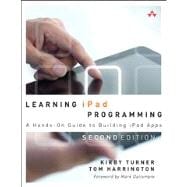
Learning iPad Programming A Hands-On Guide to Building iPad Apps
- ISBN 13:
9780321885715
- ISBN 10:
0321885716
- Edition: 2nd
- Format: Paperback
- Copyright: 05/16/2013
- Publisher: Addison-Wesley Professional
Rent
Sorry, this item is currently unavailable on Knetbooks.com


 Free Shipping On Every Order
Note: Supplemental materials are not guaranteed with Rental or Used book purchases.
Extend or Purchase Your Rental at Any Time
Need to keep your rental past your due date? At any time before your due date you can extend or purchase your rental through your account.
Summary
Learning iPad Programming, Second Editionwalks you through the process of building PhotoWheel, a complete photo management and sharing app that leverages every aspect of iOS 6. With PhotoWheel -- available free on the App Store -- you can organize your favorite photos into albums, share photos with family and friends, view them on your TV using AirPlay and an Apple TV. Most importantly, as you build PhotoWheel from the ground up, you'll gain unparalleled hands-on experience with modern iOS 6 iPad app development. Kirby Turner and Tom Harrington help you take advantage of the newest features and enhancements in iOS 6 and Xcode 4.x, extend the boundaries of your app with web and cloud services, and even use Universal programming techniques to make your iPad app run seamlessly on the iPhone. You'll learn how to * Install and configure the newest version of Xcode on your Mac * Master the basics of Objective-C, and use memory management with ARC * Use Core Data and iCloud for photo sharing and synchronization * Use Storyboarding to quickly prototype a functional UI, and then extend that UI with code * Create multitouch gestures and integrate Core Animation for a unique UI experience * Build custom views, and use view controllers to perform custom view transitions * Add AirPrint, email, and AirPlay capabilities to your app * Apply image filters and effects using Core Image * Diagnose and fix bugs with Instruments * Prepare your app for submission to the App Store * And much more