FREE SHIPPING BOTH WAYS
ON EVERY ORDER!
LIST PRICE:
$167.60

OUR PRICE:
$54.90

You may extend rentals at any time.


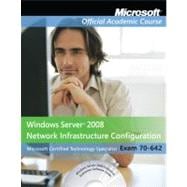
70-642 : Windows Server 2008 Network Infrastructure Configuration Textbook with Student CD Lab ...

ISBN: 9780470875018 | 0470875011
Edition: CD
Format: Paperback
Publisher: WILEY
Pub. Date: 3/1/2010

Why Rent from Knetbooks?

Because Knetbooks knows college students. Our rental program is designed to save you time and money. Whether you need a textbook for a semester, quarter or even a summer session, we have an option for you. Simply select a rental period, enter your information and your book will be on its way!

Top 5 reasons to order all your textbooks from Knetbooks:

  • We have the lowest prices on thousands of popular textbooks
  • Free shipping both ways on ALL orders
  • Most orders ship within 48 hours
  • Need your book longer than expected? Extending your rental is simple
  • Our customer support team is always here to help
SummaryTable of Contents
Exam 70-642, Windows Server 2008 Network Infrastructure Configuration. The newest iteration of the Microsoft Official Academic Course (MOAC) program for network administration courses using Windows Server 2008 and mapping to the Microsoft Certified Technology Specialist (MCTS) 70-642 certification exam. The MOAC IT Professional series is the Official from Microsoft, turn-key Workforce training program that leads to professional certification and was authored for college instructors and college students. MOAC gets instructors ready to teach and ... MORE
... MORE
Introduction to Networking Concepts
Introduction to TCP/IP addressing - UD
Configuring IPv4 and IPv6 addressing
IPv4
IPv6
Introduction to DNS
Introduction to DHCP
Introduction to Routing
Introduction to Network Access Protection
Installing Microsoft Windows Server 2008
Installing the software
Configuring basic network settings
Choosing Server Roles
Configuring Storage
Installing and Configuring Server Core
Using the Command Line Interface
Configuring Windows activation
Configuring Microsoft Windows 2008 Server
Configuring and Managing the DHCP Server Roles - UD
Configuring DHCP
Authorizing DHCP Servers
Configuring DHCP Scopes
Configuring DHCP Relay
Configuring DNS Dynamic Updates
Managing the DHCP Database
Using Automatic Private IP Addressing
Configuring and Managing the DNS Server Role (Name Resolution)
Configuring DNS server - UD
Configuring DNS server
Configuring Domain Name System (DNS) Replication - UD
Configuring Domain Name System (DNS) Replication
Configuring DNS Zones - UD
Configuring DNS Zones
Configuring DNS Records - UD
Configuring DNS records
Configuring client name resolution - UD
Configuring DNS names resolution client
Configuring Routing and Remote Access (RRAS) and Wireless Networking
Routing - UD
Configuring Routing
Remote Access - UD
Configuring Remote Access
RADIUS Server
Configuring IPsec
Configuring Wireless & 802.1X access - UD
Configuring Wireless Access. 6.Configuring File Services
Planning a File Server Deployment
Configuring a File Server - UD
Configure a file server
Working with Disks
Using the Disk Management Snap-in
Designing a File Sharing Strategy
Creating Shares
Assigning Permissions
Installing a File Services Role
Using the Distributed File System (DFS) - UD
Configure Distributed File System (DFS)
Introducing DFS
Configuring DFS. 7.Configuring and Monitor Print Services
Deploying a Print Server
Using Networked Printers
Sharing a Printer
Configuring Printer Security- UD
Configure and monitor print services
Managing Documents
Managing Printers- UD
Configure and monitor print services
Using the Print Services Role - UD
Configure and monitor print services
Using the Print Management Console
Maintaining the Network. 8.Maintaining and Updating Windows
Monitoring a Windows Server 2008 network
Capture performance data - UD
Capture performance data
Monitor event logs - UD
Monitor event logs
Gather network data - UD
Gather network data
Configuring Windows Software Update Services (WSUS) server. settings - UD
Configuring Windows Software Update Services (WSUS) server settings
Maintaining Network Health with Network Access Protection & IPSec
Configuring Certificate Services - UD
Configuring certificate services
Configuring Network Access Protection (NAP) - UD
Configuring Network. Access Protection
Network Policy Server
Network health policy validation
Network health policy compliance
Limited access enforcement
Securing Data Transmission and Authentication
Configure IPSec - UD
Configure IPSec
Configuring network authentication - UD
Configuring Network Authentication
Configure firewall settings - UD
Configure Firewall Settings
Maintaining File and Print Services
Configure shadow copies - UD
Configure shadow copies
Configure backup and restore - UD
Configure backup and restore
Manage disk quotas - UD
Manage disk quotas.
Table of Contents provided by Publisher. All Rights Reserved.


Please wait while this item is added to your cart...