FREE SHIPPING BOTH WAYS
ON EVERY ORDER!
LIST PRICE:
$177.50

OUR PRICE:
$10.24

You may extend rentals at any time.


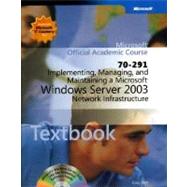
70-291: Implementing, Managing, and Maintaining a Microsoft Windows Server 2003 Network Infrast...

ISBN: 9780470068878 | 0470068876
Edition: 1
Format: Paperback
Publisher: Wiley
Pub. Date: 10/1/2006

Why Rent from Knetbooks?

Because Knetbooks knows college students. Our rental program is designed to save you time and money. Whether you need a textbook for a semester, quarter or even a summer session, we have an option for you. Simply select a rental period, enter your information and your book will be on its way!

Top 5 reasons to order all your textbooks from Knetbooks:

  • We have the lowest prices on thousands of popular textbooks
  • Free shipping both ways on ALL orders
  • Most orders ship within 48 hours
  • Need your book longer than expected? Extending your rental is simple
  • Our customer support team is always here to help
SummaryTable of ContentsAuthor Biography
A comprehensive program of textbook, lab manual and software, this Microsoft Official Academic Course provides everything students need to build the knowledge and skills necessary to configure, manage, and troubleshoot a Microsoft Windows Server 2003 network infrastructure and to prepare for the Microsoft Certified Professional examination 70-291: Managing and Maintaining a Microsoft Windows Server 2003 Environment . A complete set of instructor resources supports the book.
About This Book
Target Audiencexv
Prerequisitesxv
The Textbookxv
The Supplemental Course Materials CD-ROMxvi
Readiness Review Suite Setup Instructionsxvi... MORE
eBook Setup Instructionsxvii
The Lab Manualxvii
Notational Conventionsxviii
Keyboard Conventionsxix
Coverage of Exam Objectivesxix
The Microsoft Certified Professional Programxxii
Certificationsxxii
MCP Requirementsxxiii
About the Authorsxxiii
For Microsoft Official Academic Course Supportxxiv
Evaluation Edition Software Supportxxiv
Implementing DHCP
1(30)
Brief History of DHCP
2(1)
What is DHCP?
3(1)
How DHCP Works
4(9)
DHCP Clients and Servers
4(1)
DHCP Leases
5(1)
DHCP Message Types
5(1)
How Clients Obtain an Initial Lease
6(2)
How DHCP Renews a Lease
8(1)
Changing Subnets and DHCP Servers
9(1)
Using the DHCP Relay Agent
9(1)
Automatic Client Configuration
10(3)
Authorizing a DHCP Server
13(3)
DHCP Server Authorization Process
13(1)
Protecting Against Improper Use of Workgroup DHCP Servers
14(2)
Configuring a DHCP Scope
16(2)
What Is a DHCP Scope?
16(2)
Multicast Addressing
18(1)
Configuring a DHCP Reservation
18(2)
What Is a DHCP Reservation?
19(1)
Configuring DHCP Options
20(1)
User and Vendor Classes
20(1)
Configuring a DHCP Relay Agent
21(6)
How Relay Agents Work
22(1)
Using Superscopes
23(4)
Summary
27(1)
Exercises
27(2)
Exercise 1-1: Installing and Authorizing a DHCP Server
27(1)
Exercise 1-2: Configuring a DHCP Scope
27(1)
Exercise 1-3: Configuring a DHCP Reservation
28(1)
Exercise 1-4: Removing DHCP
28(1)
Review Questions
29(1)
Case Scenarios
29(2)
Case Scenario 1-1: Obtaining an IP Address
29(1)
Case Scenario 1-2: Maximizing Lease Availability
29(2)
Managing and Monitoring DHCP
31(30)
Managing DHCP
32(1)
Understanding DNS Dynamic Updates
32(7)
Configuring DNS Dynamic Update Settings on the DHCP Server
34(3)
Troubleshooting Dynamic Update
37(2)
Managing a DHCP Database
39(6)
What Is a DHCP Database?
39(1)
Backing Up and Restoring DHCP Server Configuration
40(2)
Reconciling a DHCP Database
42(1)
Compacting a DHCP Database
43(1)
Enabling Server-Based Conflict Detection
44(1)
Removing the DHCP Role
44(1)
Best Practices for Managing a DHCP Database
44(1)
Monitoring a DHCP Database
45(9)
Establishing a Performance Baseline
45(1)
Location of DHCP Data
45(1)
Using DHCP Statistics to Monitor a DHCP Server
46(2)
Using the DHCP Audit Log to Monitor a DHCP Server
48(3)
Using the Performance Console to Monitor DHCP
51(2)
Best Practices for Monitoring DHCP
53(1)
Using Automatic Private IP Addressing
54(2)
Disabling APIPA
54(1)
Troubleshooting APIPA
55(1)
Summary
56(1)
Exercises
56(2)
Exercise 2-1: Configuring DNS Dynamic Update
56(1)
Exercise 2-2: Manually Backing Up a DHCP Database
56(1)
Exercise 2-3: Reconciling a DHCP Database
57(1)
Exercise 2-4: Manually Compacting a DHCP Database
57(1)
Exercise 2-5: Configuring and Viewing the DHCP Audit Log
57(1)
Exercise 2-6: Creating Alerts for a DHCP Server
58(1)
Review Questions
58(2)
Case Scenarios
60(1)
Case Scenario 2-1: Monitoring DHCP Requests
60(1)
Case Scenario 2-2: Monitoring DHCP Network Traffic
60(1)
Implementing Name Resolution Using DNS
61(44)
Overview of the Name Resolution Process
62(1)
Overview of DNS
62(3)
Benefits of DNS
62(1)
What Is DNS?
63(1)
Domain Namespace
63(2)
Installing DNS
65(1)
DNS Zones
66(4)
Standard Zones
67(2)
Active Directory--Integrated Zones
69(1)
Root Hints
70(2)
Removing the Root DNS Zone
72(1)
DNS Server Types
72(2)
Primary Name Server
73(1)
Secondary Name Server
73(1)
Master Name Server
73(1)
Caching-Only Server
73(1)
DNS Resource Records
74(8)
Resource Record Types
74(8)
Understanding the DNS Query Process
82(5)
Iterative Queries
82(2)
Recursive Queries
84(2)
Query Responses
86(1)
Name Server Caching
87(1)
Delegating Zones
87(2)
Understanding Zone Transfers
89(5)
Incremental Zone Transfer
91(3)
Understanding Forwarding
94(2)
Standard Forwarding
94(1)
Conditional Forwarding
95(1)
Connecting Local Networks to the Internet
96(4)
Resolving Internal Names
97(1)
Resolving External Names Without a Proxy Server
97(1)
Resolving External Names Using a Proxy
98(2)
Summary
100(1)
Exercises
101(2)
Exercise 3-1: Adding the DNS Server Role
101(1)
Exercise 3-2: Adding a Standard Primary Forward Lookup Zone
101(1)
Exercise 3-3: Changing a Zone to Active Directory--Integrated
102(1)
Exercise 3-4: Creating a Reverse Lookup Zone
102(1)
Exercise 3-5: Locating DNS Resource Records
103(1)
Exercise 3-6: Removing the DNS Server Role
103(1)
Review Questions
103(1)
Case Scenarios
104(1)
Case Scenario 3-1: Minimizing DNS Traffic and Administration
104(1)
Case Scenario 3-2: Troubleshooting Access to External Resources
104(1)
Managing and Monitoring DNS
105(40)
Using DNS Management Tools
106(10)
Using the DNS Console to Monitor DNS Servers
106(1)
Querying DNS with Nslookup
107(5)
Using DNSLint
112(3)
Using Dnscmd
115(1)
Integrating DNS Zones with WINS
116(1)
Managing DNS Using Advanced DNS Server Properties
117(6)
Aging and Scavenging Resource Records
123(1)
Managing the DNS Resolver Cache
124(1)
Securing DNS
124(7)
DNS Security Threats
125(6)
Monitoring and Troubleshooting DNS
131(8)
Viewing the DNS Events Log
131(2)
Troubleshooting DNS with the DNS Debug Log
133(2)
Troubleshooting DNS with Replication Monitor
135(4)
Summary
139(1)
Exercises
139(2)
Exercise 4-1: Displaying DNS Zone Information Using Dnscmd
139(1)
Exercise 4-2: Integrating DNS and WINS
139(1)
Exercise 4-3: Displaying and Purging the Resolver Cache
140(1)
Review Questions
141(1)
Case Scenarios
142(3)
Case Scenario 4-1: Enabling Network Users to Connect to Internet Host Names
142(1)
Case Scenario 4-2: Implementing DNS Updates
143(2)
Network Security
145(32)
Implementing Network Security Protocols
146(1)
Managing User Rights
146(6)
Common User Rights
147(1)
The Differences Between Permissions and User Rights
147(1)
User Rights Assigned to Built-In Groups
148(3)
How to Assign User Rights
151(1)
Administering Security Practices
152(4)
Creating Baselines to Identify Possible Security Events
152(1)
Viewing and Maintaining the Security Audit Log
152(2)
Applying the Principle of Least Privilege
154(2)
Using Security Templates
156(4)
Running the Security Templates Snap-In
156(1)
Examining Template Policies
157(1)
Using Predefined Templates
158(1)
Applying Security Templates
159(1)
Managing Encrypting File System (EFS)
160(3)
EFS Features
160(1)
Encrypting a File or Folder
161(1)
Decrypting a File or Folder
161(1)
Using the Cipher Utility
162(1)
Recovering Encrypted Files
163(1)
Implementing Security Configuration Tools
163(8)
Security Configuration And Analysis Snap-In
164(2)
Secedit Utility
166(1)
Security Templates Snap-In
167(1)
Group Policy Snap-In
168(1)
Gpupdate
168(1)
Using Microsoft Baseline Security Analyzer (MBSA)
169(2)
Summary
171(1)
Exercises
171(3)
Exercise 5-1: Assigning User Rights
171(1)
Exercise 5-2: Viewing an Event
171(1)
Exercise 5-3: Encrypting a File
172(1)
Exercise 5-4: Decrypting a File
173(1)
Exercise 5-5: Using the Security Configuration And Analysis Snap-In
173(1)
Review Questions
174(1)
Case Scenarios
175(2)
Case Scenario 5-1: Folder Redirection
175(1)
Case Scenario 5-2: Auditing
176(1)
Securing Network Traffic with IPSec
177(36)
The Purpose of IPSec
178(1)
Protecting Against Security Attacks
178(1)
Understanding IPSec
179(11)
IPSec Security Features
180(1)
New IPSec Features for Windows Server 2003
181(1)
IPSec Modes
182(1)
Security Associations
183(1)
Internet Key Exchange (IKE)
184(1)
IPSec Policy Agent Service
185(1)
IPSec Driver
186(1)
Security Negotiation Process
187(3)
Understanding IPSec Security Policies
190(3)
Assigning IPSec Policies
190(3)
Deploying IPSec Policies
193(2)
Deploying IPSec Using Local Policies
193(1)
Persistent Policies
194(1)
Deploying IPSec Using Active Directory
194(1)
Deployment in a Mixed Environment
195(1)
Implementing IPSec Using Certificates
195(2)
X.509 Certificates
196(1)
The Role of a CA
196(1)
Using a Certificate with IPSec
196(1)
Using NAT with IPSec
197(1)
Managing and Monitoring IPSec
197(9)
Using IP Security Monitor
197(4)
Using RSoP
201(1)
Using Event Viewer
201(1)
Using the Oakley Log
202(1)
Using Netsh
202(1)
Using Netsh to Monitor IPSec
203(1)
Obtaining Diagnostic IPSec Information
204(1)
Using Netdiag
205(1)
Summary
206(1)
Exercises
206(2)
Exercise 6-1: Adding an IPSec Security Policy
206(1)
Exercise 6-2: Configuring IPSec to Use a Certificate
207(1)
Exercise 6-3: Using Netsh to Display IPSec Information
207(1)
Review Questions
208(2)
Case Scenarios
210(3)
Case Scenario 6-1: Securing Communications
210(1)
Case Scenario 6-2: Troubleshooting IPSec
211(2)
Implementing and Managing Software Update Services
213(28)
What Does an Update Include?
214(1)
Overview of SUS
214(1)
SUS and Other Software-Distribution Technologies
215(1)
Windows Update and Automatic Updates
215(3)
Windows Update
215(1)
Automatic Updates
216(2)
Installing and Configuring SUS
218(3)
Hardware Requirements
218(1)
Software Requirements
218(3)
How SUS Works
221(3)
SUS Distribution Points
221(3)
Managing SUS
224(10)
Server Management
224(5)
Client Management
229(5)
Monitoring SUS
234(3)
Monitor Server Page
234(1)
Synchronization Logs
234(1)
Approval Logs
235(1)
Server Event Log Messages
236(1)
Client Event Log Messages
236(1)
Summary
237(1)
Exercises
237(1)
Exercise 7-1: Using the Windows Update Web Site
237(1)
Exercise 7-2: Enabling Automatic Updates
238(1)
Review Questions
238(2)
Case Scenarios
240(1)
Case Scenario 7-1: Need for SUS
240(1)
Case Scenario 7-2: Stage and Test Updates
240(1)
Configuring Routing by Using Routing and Remote Access
241(38)
Overview of Windows Server 2003 Routing and Remote Access
242(3)
Routing Examples
243(2)
Configuration Options for Remote Access Servers
245(6)
Configuring Dial-Up Remote Access
245(1)
Troubleshooting Dial-Up Remote Access Connections
246(1)
Configuring VPNs
247(1)
Components of a VPN
248(1)
Configuring NAT
249(2)
Selecting a Routing Protocol
251(2)
Using Static Routes
251(2)
Using Dynamic Routes
253(1)
Managing Routing Tables
253(4)
Viewing the IP Routing Table
254(1)
Reading the IP Routing Table
255(2)
Packet Filtering
257(2)
Creating Packet Filters
258(1)
Configuring Demand-Dial Routing
259(3)
Testing Demand-Dial Connections
260(1)
Troubleshooting Demand-Dial Routing
261(1)
Authorizing Remote Access Connections
262(2)
Configuring Dial-In Properties of the User Account
262(2)
Applying Remote Access Policies
264(1)
Configuring a Remote Access Policy
264(7)
Policy Conditions
267(4)
Managing Network Access Authentication and Policies
271(5)
Performing Authentication Through RADIUS
272(4)
Summary
276(1)
Exercise
276(1)
Exercise 8-1: Viewing the IP Routing Table
277(1)
Review Questions
277(1)
Case Scenarios
278(1)
Case Scenario 8-1: Phone Number Authentication
278(1)
Case Scenario 8-2: Single-Credential Entry
278(1)
Maintaining a Network Infrastructure
279(34)
Using the Networking Tab in Task Manager
280(2)
Filtering Network Traffic
281(1)
Choosing Columns
281(1)
Using the Performance Console
282(6)
Adding Network Counters
283(1)
Using the Performance Console to Create Alerts
284(4)
Monitoring Network Traffic by Using Netstat
288(2)
Using Windows Server 2003 Network Monitor
290(2)
Using Network Monitor Triggers
291(1)
Troubleshooting Internet Connectivity
292(9)
Identifying the Specific Networking Issue
293(3)
Using the Repair Feature
296(1)
Verifying the DHCP Server
296(1)
Bridging Multiple Networks
297(1)
Using NetDiag
298(3)
Troubleshooting Server Services
301(5)
Determining Service Dependency
301(1)
Using Service Recovery Options
302(4)
Summary
306(1)
Exercises
307(1)
Exercise 9-1: Displaying Task Manager
307(1)
Exercise 9-2: Verifying the Configuration of DNS Forwarding
307(1)
Exercise 9-3: Configuring Services
308(1)
Review Questions
308(2)
Case Scenario
310(3)
Case Scenario 9-1: Using Diagnostic Tools
310(3)
Glossary313(18)
Index331
Microsoft Corporation - Founded in 1975, Microsoft (Nasdaq 'MSFT') is the worldwide leader in software for personal and business computing. The company offers a wide range of products and services designed to empower people through great software—any time, any place and on any device.


Please wait while this item is added to your cart...