FREE SHIPPING BOTH WAYS
ON EVERY ORDER!
LIST PRICE:
$27.99

Sorry, this item is currently unavailable.

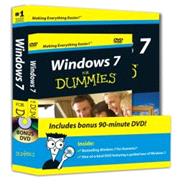
Windows 7 For Dummies Book + DVD Bundle

ISBN: 9780470523988 | 0470523980
Edition: 1st
Format: Paperback
Publisher: For Dummies
Pub. Date: 10/12/2009

Why Rent from Knetbooks?

Because Knetbooks knows college students. Our rental program is designed to save you time and money. Whether you need a textbook for a semester, quarter or even a summer session, we have an option for you. Simply select a rental period, enter your information and your book will be on its way!

Top 5 reasons to order all your textbooks from Knetbooks:

  • We have the lowest prices on thousands of popular textbooks
  • Free shipping both ways on ALL orders
  • Most orders ship within 48 hours
  • Need your book longer than expected? Extending your rental is simple
  • Our customer support team is always here to help
SummaryTable of Contents
Windows 7 is Microsoft's much-anticipated new release of the operating system that powers nearly 90 percent of the world's computers. This work includes the complete "Windows 7 For Dummies" book plus a DVD with two hours of video training.

A terrific value-a full-size book plus video demonstrations of key Windows 7 tasksWindows 7 is Microsoft's much-anticipated new release of the operating system that powers nearly 90% of the world's computers. This two-for-one package provides the step-by-step guidance that will g... MORE
Introduction.

Part I: Windows 7 Stuff Everybody Thinks You Already Know.

Chapter 1: What Is Windows 7?

Chapter 2: The Desktop, Start Menu, Taskbar, Gadgets, and Other Windows 7 Mysteries.

Chapter 3: Basic Windows Mechanics.

Chapter 4: Flipping Through Files, Folders, Flash Drives, Libraries, and CDs.

Part II: Working with Programs and Files.

Chapter 5: Playing with Programs and Documents.

Chapter 6: Briefly Lost, but Quickly Found.

Chapter 7: Printing Your Work.

Part III: Getting Things Done on the In... MORE

Chapter 8: Cruising the Web.

Chapter 9: Sending and Receiving E-Mail.

Chapter 10: Safe Computing.

Part IV: Customizing and Upgrading Windows 7.

Chapter 11: Customizing Windows 7 with the Control Panel.

Chapter 12: Keeping Windows from Breaking.

Chapter 13: Sharing One Computer with Several People.

Chapter 14: Connecting Computers with a Network.

Part V: Music, Movies, Memories (And Photos, Too).

Chapter 15: Playing and Copying Music in Media Player.

Chapter 16: Fiddling with Photos and Movies.

Part VI: Help!

Chapter 17: The Case of the Broken Window.

Chapter 18: Strange Messages: What You Did Does Not Compute.

Chapter 19: Moving from an Old Computer to a New Windows 7 PC.

Chapter 20: Help on the Windows 7 Help System.

Part VII: The Part of Tens.

Chapter 21: Ten or So Things You’ll Hate about Windows 7 (And How to Fix Them).

Chapter 22: Ten or So Tips for Laptop Owners.

Appendix A: Upgrading to Windows 7.

Index.


Please wait while this item is added to your cart...