FREE SHIPPING BOTH WAYS
ON EVERY ORDER!
LIST PRICE:
$89.00

OUR PRICE:
$11.74

You may extend rentals at any time.


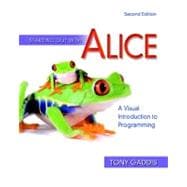
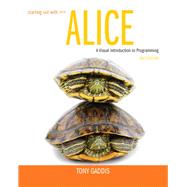
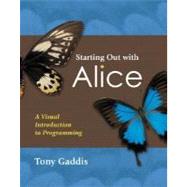
Starting Out with Alice : A Visual Introduction to Programming

ISBN: 9780321545879 | 0321545877
Edition: 2nd
Format: Paperback
Publisher: Addison-Wesley
Pub. Date: 10/22/2010

Why Rent from Knetbooks?

Because Knetbooks knows college students. Our rental program is designed to save you time and money. Whether you need a textbook for a semester, quarter or even a summer session, we have an option for you. Simply select a rental period, enter your information and your book will be on its way!

Top 5 reasons to order all your textbooks from Knetbooks:

  • We have the lowest prices on thousands of popular textbooks
  • Free shipping both ways on ALL orders
  • Most orders ship within 48 hours
  • Need your book longer than expected? Extending your rental is simple
  • Our customer support team is always here to help
SummaryTable of ContentsAuthor Biography
Starting Out with Alice: A Visual Introduction to Programming presents a fun and motivational way for novice programmers to learn the basic tenets of programming. Using Alice, an innovative and increasingly popular teaching tool, readers from a variety of backgrounds create virtual programming worlds of animations and computer games. In the successful style of Tony Gaddis' texts, useful examples and detail-oriented explanations allow students to become comfortable with fundamental concepts of programming without dealing with frustrating syntax ... MORE

Preface xiii
Chapter 1 Introduction to Alice and Objects 1
1.1 What Is a Computer Program? . . . . . . . . . . . . . . . . . . . . . . . . . . . . . . . .1
1.2 Algorithms and Programming Languages . . . . . . . . . . . . . . . . . . . . . . .2
1.3 Learning to Program with Alice . . . . . . . . . . . . . . . . . . . . . . . . . . . . . . .5
TUTORIAL 1-1: Opening and playing an Alice world . . . . . . . . . . . . . . . . . . . . . .6
1.4 Objects . . . . . . . . . . . . . . . . . . .... MORE

Chapter 2 Programming in Alice 57
2.1 Writing Methods . . . . . . . . . . . . . . . . . . . . . . . . . . . . . . . . . . . . . . . . .57
TUTORIAL 2-1: Adding instructions to an Alice world . . . . . . . . . . . . . . . . . . . .62
TUTORIAL 2-2: Exploring additional primitive methods . . . . . . . . . . . . . . . . . .67
2.2 Naming Conventions . . . . . . . . . . . . . . . . . . . . . . . . . . . . . . . . . . . . . .73
2.3 Designing a Program . . . . . . . . . . . . . . . . . . . . . . . . . . . . . . . . . . . . . .77
TUTORIAL 2-3: Using the program design cycle . . . . . . . . . . . . . . . . . . . . . . . . .82
2.4 Comments . . . . . . . . . . . . . . . . . . . . . . . . . . . . . . . . . . . . . . . . . . . . . .88
TUTORIAL 2-4: Inserting comments . . . . . . . . . . . . . . . . . . . . . . . . . . . . . . . . . .89
2.5 Tips for Setting Up an Initial Scene . . . . . . . . . . . . . . . . . . . . . . . . . . . .90
2.6 Executing Instructions Simultaneously . . . . . . . . . . . . . . . . . . . . . . . . .97
TUTORIAL 2-5: Creating simultaneously executed instructions . . . . . . . . . . . . .98
2.7 Exporting Your Code for Printing . . . . . . . . . . . . . . . . . . . . . . . . . . . .104
2.8 Exporting an Alice World to Video . . . . . . . . . . . . . . . . . . . . . . . . . . .105
Review Questions . . . . . . . . . . . . . . . . . . . . . . . . . . . . . . . . . . . . . . . . . . . .106

Chapter 3 Variables, Functions, Math, and Strings 113
3.1 Variables . . . . . . . . . . . . . . . . . . . . . . . . . . . . . . . . . . . . . . . . . . . . . . .113
TUTORIAL 3-1: Creating and using a variable . . . . . . . . . . . . . . . . . . . . . . . . .116
TUTORIAL 3-2: Creating a set instruction for a variable . . . . . . . . . . . . . . . . .118
3.2 Using Functions . . . . . . . . . . . . . . . . . . . . . . . . . . . . . . . . . . . . . . . . .120
TUTORIAL 3-3: Calling an ask user function . . . . . . . . . . . . . . . . . . . . . . . . .122
TUTORIAL 3-4: Using a proximity function . . . . . . . . . . . . . . . . . . . . . . . . . . .127
3.3 Creating Math Expressions . . . . . . . . . . . . . . . . . . . . . . . . . . . . . . . . .130
TUTORIAL 3-5: Using math to avoid collisions . . . . . . . . . . . . . . . . . . . . . . . .132
3.4 Working with Strings and Text . . . . . . . . . . . . . . . . . . . . . . . . . . . . . .138
TUTORIAL 3-6: Converting a Number variable to a string . . . . . . . . . . . . . . . .141
Review Questions . . . . . . . . . . . . . . . . . . . . . . . . . . . . . . . . . . . . . . . . . . . .144

Chapter 4 Decision and Repetition Structures 151
4.1 Boolean Values . . . . . . . . . . . . . . . . . . . . . . . . . . . . . . . . . . . . . . . . . .151
4.2 The If/Else Decision Structure . . . . . . . . . . . . . . . . . . . . . . . . . . . . .153
TUTORIAL 4-1: Creating an If/Else instruction . . . . . . . . . . . . . . . . . . . . . . .156
4.3 Relational Comparisons and Logical Operators . . . . . . . . . . . . . . . . . .163
TUTORIAL 4-2: Using a relational operator . . . . . . . . . . . . . . . . . . . . . . . . . . .165
TUTORIAL 4-3: Testing an object’s color property . . . . . . . . . . . . . . . . . . . . . .169
4.4 The Loop Instruction . . . . . . . . . . . . . . . . . . . . . . . . . . . . . . . . . . . . .174
TUTORIAL 4-4: Using the Loop instruction . . . . . . . . . . . . . . . . . . . . . . . . . . .175
4.5 The While Instruction . . . . . . . . . . . . . . . . . . . . . . . . . . . . . . . . . . . .180
TUTORIAL 4-5: Using a While instruction to make an object vanish . . . . . . . .182
TUTORIAL 4-6: Using the While instruction to move an object . . . . . . . . . . . .186
Review Questions . . . . . . . . . . . . . . . . . . . . . . . . . . . . . . . . . . . . . . . . . . . .189

Chapter 5 Methods, Functions, and More about Variables 195
5.1 Writing Custom Class-Level Methods . . . . . . . . . . . . . . . . . . . . . . . . .195
TUTORIAL 5-1: Creating a class-level method . . . . . . . . . . . . . . . . . . . . . . . . .196
5.2 Saving an Object to a New Class . . . . . . . . . . . . . . . . . . . . . . . . . . . .199
TUTORIAL 5-2: Saving an object to a class . . . . . . . . . . . . . . . . . . . . . . . . . . . .200
5.3 Stepwise Refinement . . . . . . . . . . . . . . . . . . . . . . . . . . . . . . . . . . . . .203
TUTORIAL 5-3: Completing the WorkOut world . . . . . . . . . . . . . . . . . . . . . . .207
5.4 Passing Arguments . . . . . . . . . . . . . . . . . . . . . . . . . . . . . . . . . . . . . . .209
TUTORIAL 5-4: Passing arguments to a method . . . . . . . . . . . . . . . . . . . . . . . .211
5.5 Using Class-Level Variables as Properties . . . . . . . . . . . . . . . . . . . . . . .215
TUTORIAL 5-5: Adding a property to an object . . . . . . . . . . . . . . . . . . . . . . . .217
5.6 Writing Class-Level Functions . . . . . . . . . . . . . . . . . . . . . . . . . . . . . . .220
TUTORIAL 5-6: Writing a class-level function . . . . . . . . . . . . . . . . . . . . . . . . .221
5.7 World-Level Methods and Variables . . . . . . . . . . . . . . . . . . . . . . . . . .226
5.8 Using Clipboards . . . . . . . . . . . . . . . . . . . . . . . . . . . . . . . . . . . . . . . .229
5.9 Tips for Visual Effects and Animation . . . . . . . . . . . . . . . . . . . . . . . . .230
Review Questions . . . . . . . . . . . . . . . . . . . . . . . . . . . . . . . . . . . . . . . . . . . .241

Chapter 6 Events 249
6.1 Responding to Events . . . . . . . . . . . . . . . . . . . . . . . . . . . . . . . . . . . . .249
6.2 Handling Key Press and Mouse Events . . . . . . . . . . . . . . . . . . . . . . . .253
TUTORIAL 6-1: Handling key press events . . . . . . . . . . . . . . . . . . . . . . . . . . . .254
TUTORIAL 6-2: Handling the while a key is pressed event . . . . . . . . . . .258
TUTORIAL 6-3: Handling a mouse click event . . . . . . . . . . . . . . . . . . . . . . . . .261
6.3 Using Events in Simulations and Games . . . . . . . . . . . . . . . . . . . . . . .264
6.4 Tips for Games and Simulations . . . . . . . . . . . . . . . . . . . . . . . . . . . . .268
Review Questions . . . . . . . . . . . . . . . . . . . . . . . . . . . . . . . . . . . . . . . . . . . .275

Chapter 7 Lists and Arrays 281
7.1 Lists . . . . . . . . . . . . . . . . . . . . . . . . . . . . . . . . . . . . . . . . . . . . . . . . . .281
TUTORIAL 7-1: Creating a list and using the For all in order and For all together instructions . . . . . . . . . . . . . . . . . . . . . . . . . . . . . .285
TUTORIAL 7-2: More complex list processing . . . . . . . . . . . . . . . . . . . . . . . . .291
TUTORIAL 7-3: Using the Let the mouse move <objects> event . . . . . . . .305
7.2 Arrays . . . . . . . . . . . . . . . . . . . . . . . . . . . . . . . . . . . . . . . . . . . . . . . . .308
TUTORIAL 7-4: Creating an array and a loop that steps through it . . . . . . . . .311
TUTORIAL 7-5: Randomly selecting an array element . . . . . . . . . . . . . . . . . . .317
Review Questions . . . . . . . . . . . . . . . . . . . . . . . . . . . . . . . . . . . . . . . . . . . .319

Chapter 8 Recursion 323
8.1 Introduction to Recursion . . . . . . . . . . . . . . . . . . . . . . . . . . . . . . . . . .323
TUTORIAL 8-1: Creating a recursive method . . . . . . . . . . . . . . . . . . . . . . . . . .327
8.2 Problem Solving with Recursion . . . . . . . . . . . . . . . . . . . . . . . . . . . . .330
TUTORIAL 8-2: Recursive problem solving in animation . . . . . . . . . . . . . . . . .331
TUTORIAL 8-3: Writing a recursive mathematical function . . . . . . . . . . . . . . .336
Review Questions . . . . . . . . . . . . . . . . . . . . . . . . . . . . . . . . . . . . . . . . . . . .338
Appendix A Installing Alice 343
Appendix B Answers to Checkpoints 347
Index 355

Tony Gaddis is the author of numerous textbooks, including Starting Out with C++, Starting Out with Java, Starting Out with Visual Basic.NET, and Starting Out with Visual Basic 6. He is a professor at Haywood Community College.

Related Products


  • Starting Out with Alice
    Starting Out with Alice
  • Starting Out with Alice : A Visual Introduction to Programming
    Starting Out with Alice : A Vi...


Please wait while this item is added to your cart...