FREE SHIPPING BOTH WAYS
ON EVERY ORDER!
LIST PRICE:
$34.95

OUR PRICE:
$27.68

You may extend rentals at any time.


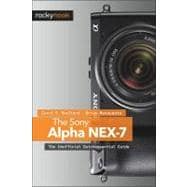
The Sony Alpha Nex-7: The Unofficial Quintessential Guide
ISBN: 9781937538118 | 1937538117
Format: Paperback
Publisher: Oreilly & Associates Inc
Pub. Date: 11/28/2012

Why Rent from Knetbooks?

Because Knetbooks knows college students. Our rental program is designed to save you time and money. Whether you need a textbook for a semester, quarter or even a summer session, we have an option for you. Simply select a rental period, enter your information and your book will be on its way!

Top 5 reasons to order all your textbooks from Knetbooks:

  • We have the lowest prices on thousands of popular textbooks
  • Free shipping both ways on ALL orders
  • Most orders ship within 48 hours
  • Need your book longer than expected? Extending your rental is simple
  • Our customer support team is always here to help
SummaryTable of Contents
The Sony Alpha NEX-7: The Unofficial Quintessential Guideprovides a wealth of experience-based information and insights for owners of this exciting new camera. Authors Carol F. Roullard and Brian Matsumoto team up to help the new user navigate past the confusion factor that often comes with complex and powerful camera equipment. This book explores the features and capabilities of the camera in a way that far surpasses the user's manual. It guides you through the camera features with step-by-step setting adjustments and detailed how, when, and why explanations for each option. Every button, dial, switch, and menu configuration setting is explored in a friendly manner, with suggestions and tips for setup according to various shooting styles. The informative text is illustrated with screenshots and example images throughout, making it easy to follow along. The authors cover everything from the basic features of the camera to numerous advanced photographic applications. The first section of the book teaches the new user to start taking pictures immediately by using the camera's Intelligent Automatic mode. The second section covers how to begin taking more control by switching to the semi-automatic modes. Finally, you'll learn to take full manual control of the camera, allowing you to break some "rules" and capture images that are a unique reflection of your creative personality. Carol and Brian go beyond just the camera itself and share how third-party software and optional accessories can improve on the camera's standard commands. You'll even learn how the electronic viewfinder, the fixed mirror, and Sony's novel shutter design improve the camera's utility for critical scientific photography (i.e., photomicrography and photography through the telescope). The Sony Alpha NEX-7: The Unofficial Quintessential Guidewill allow you to really take control of your camera, to push the envelope, and to have fun.
... MORE
Getting Startedp. 2
Introductionp. 3
Dual Viewing Systemp. 6
Diopter Adjustment Dialp. 7
Setting Up Your New Sony NEX-7p. 7
Batteryp. 8
Memory Cardp. 9
Assembling the Camerap. 11
Protecting the Lensp. 12
Protecting the LCD Screenp. 12
Using This Bookp. 13
Turning On the Camerap. 14
Camera Navigationp. 14
Control Wheel, Buttons, and Dialsp. 15
Menu Structurep. 16
Triple-Dial-Controlp. 19
Setting the Camera Date, Time, and Areap. 20
Error Messagesp. 21
Reinitializing Commands to Default Valuesp. 22
Cleaning the Sensorp. 22
Recommendationsp. 23
Photography Basics and the NEX-7p. 24
Introductionp. 25
Basic Photography Conceptsp. 26
File Formatsp. 28
Shutter Buttonp. 32
Focusingp. 33
White Balance and the Appearance of Colorsp. 39
Drive Mode Functionp. 40
Recording Moviesp. 44
Managing Your Imagesp. 46
Introductionp. 47
The LCD Screenp. 48
The Viewfinderp. 49
LCD Screen versus Viewfinderp. 50
Data Display Formatsp. 51
Preview Imagesp. 56
Review Recorded Imagesp. 57
Evaluating Exposure with Histogramsp. 65
Protecting Saved Pictures and Moviesp. 67
Deleting Saved Pictures and Moviesp. 68
Working Outside the Camerap. 69
Automatic Settingsp. 78
Introductionp. 79
Functions Available for Automatic Modesp. 79
Shooting Modesp. 93
Intelligent Auto Modep. 94
SCN Predefined Scene Modesp. 96
Recommendationsp. 98
Taking Control of the Camerap. 100
Introductionp. 101
Triple-Dial-Control Operationp. 103
Exposure Compensation 117 Three Semiautomatic Modes: Shutter Priority (S), Aperture Priority (A), Program Auto (P)p. 104
Recommendationsp. 120
Manual Operation of the Camerap. 122
Introductionp. 123
Manual Exposure Mode Controlsp. 124
Manual Focusing: Overriding Automatic Focusingp. 130
Manual Adjustments for Color Temperaturep. 132
Lens Compensationp. 138
Bracketing and Dynamic Rangep. 138
Recommendationsp. 141
Customizing the Camerap. 142
Introductionp. 143
Customizing Buttonsp. 143
Navigation Buttonp. 145
Customization of Other Buttonsp. 148
Customizing Buttons Summaryp. 154
Utilizing Predefined Color Schemesp. 155
Help Guide Displayp. 162
Recommendationsp. 162
Additional Featuresp. 164
Introductionp. 165
Locking the Dials and the Control Wheelp. 165
Panoramic Modesp. 166
Anti Motion Blur Modep. 175
DRO/Auto HDR Functionp. 176
Recommendationsp. 182
Using Accessoriesp. 184
Introductionp. 185
The Kit Lensp. 185
Sony E-mount and A-mount Lensesp. 188
Telescopesp. 194
Microscopesp. 197
Remote Releasep. 200
Tripodsp. 201
Recommendationsp. 204
Flash Photographyp. 206
Introductionp. 207
Principles of Electronic Flashp. 208
Flash Artifact: Red Eyep. 210
Flash Commandp. 211
Using Flash in Intelligent Autop. 212
Flash Options in P, A, S, or M Modesp. 213
Recommendationsp. 221
Making Moviesp. 222
Introductionp. 223
Frame Rate versus Shutter Speedp. 224
Choosing a Movie File Formatp. 227
Record Settings (Quality)p. 228
Additional Movie Controlsp. 233
Framing and Starting the Moviep. 234
P, A, S, or M for Controlling your Recordingp. 234
Adding Creative Style, Picture Effect, or DROp. 235
Recommendationsp. 235
Menu and Function Commandsp. 236
Common Error or Warning Messages and Resolutionsp. 280
Indexp. 288
Table of Contents provided by Ingram. All Rights Reserved.


Please wait while this item is added to your cart...