FREE SHIPPING BOTH WAYS
ON EVERY ORDER!
LIST PRICE:
$29.99

Sorry, this item is currently unavailable.

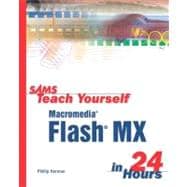
Sams Teach Yourself Macromedia Flash Mx in 24 Hours
ISBN: 9780672323713 | 0672323710
Format: Paperback
Publisher: Sams
Pub. Date: 1/1/2002

Why Rent from Knetbooks?

Because Knetbooks knows college students. Our rental program is designed to save you time and money. Whether you need a textbook for a semester, quarter or even a summer session, we have an option for you. Simply select a rental period, enter your information and your book will be on its way!

Top 5 reasons to order all your textbooks from Knetbooks:

  • We have the lowest prices on thousands of popular textbooks
  • Free shipping both ways on ALL orders
  • Most orders ship within 48 hours
  • Need your book longer than expected? Extending your rental is simple
  • Our customer support team is always here to help
SummaryTable of Contents
Since its introduction in 1996, Macromedia Flash has become the standard for delivering high impact, vector-based graphics to the Web. Flash is deceptively simple at first, yet has great depth and flexibility. Sams Teach Yourself Macromedia Flash X in 24 Hours offers a clearly written, well-organized introduction to this powerful product, and gives the beginner an overview of the entire package, without becoming too overwhelming. A new version of Flash is expected to be released in the 1st quarter of 2002. It will have user interface improvements, several new features, and extensive improvements to existing features. Previously announced in 3/2002 catalog.
Introduction
Part I Assembling the Graphics You'll Animate in Flash
Basics
Drawing and Painting Original Art in Flash
Import... MORE
Applied Advanced Drawing Techniques
Using the Library for Productivity
Part II Animating in Flash
Understanding Animation
Animation the Old-Fashioned Way
Using Motion Tween to Animate
Using Shape Tween to Morph
Including Sound in Your Animation
Using Layers in Your Animation
Animating Using Movie Clip and Graphic Symbols
Part III Adding Interactivity and Advanced Animation
Making Buttons for Your User to Click
Using ActionScript to Create Non-Linear Movies
ActionScripting Applications for Advanced Interactivity
Using Components
Using Video
Part IV Putting It All Together for the Web
Linking Your Movie to the Web
Designing Your Web Site to Be Modular
Optimizing Your Flash Site
Advanced Animation Techniques
Working on Large Projects and in Team Environments
Learning How to Learn Flash
Publishing Your Creation
Appendixes
A Shapes You Can Make Using Selection, Snap, and the Canvas Level
B Resources
Glossary
Index

Related Products


  • Sams Teach Yourself Adobe Flash CS3 Professional in 24 Hours
    Sams Teach Yourself Adobe Flas...
  • Sams Teach Yourself Flash Professional CS5 in 24 Hours
    Sams Teach Yourself Flash Prof...
  • Sams Teach Yourself Macromedia Flash 8 in 24 Hours
    Sams Teach Yourself Macromedia...
  • Sams Teach Yourself Macromedia Flash MX 2004 in 24 Hours
    Sams Teach Yourself Macromedia...


Please wait while this item is added to your cart...