FREE SHIPPING BOTH WAYS
ON EVERY ORDER!
LIST PRICE:
$59.99

Sorry, this item is currently unavailable.

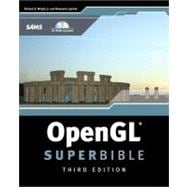
OpenGL SuperBible

ISBN: 9780672326011 | 0672326019
Edition: 3rd
Format: Paperback w/CD
Publisher: Sams
Pub. Date: 1/1/2005

Why Rent from Knetbooks?

Because Knetbooks knows college students. Our rental program is designed to save you time and money. Whether you need a textbook for a semester, quarter or even a summer session, we have an option for you. Simply select a rental period, enter your information and your book will be on its way!

Top 5 reasons to order all your textbooks from Knetbooks:

  • We have the lowest prices on thousands of popular textbooks
  • Free shipping both ways on ALL orders
  • Most orders ship within 48 hours
  • Need your book longer than expected? Extending your rental is simple
  • Our customer support team is always here to help
SummaryTable of ContentsAuthor Biography
OpenGL SuperBible, Third Edition is a comprehensive, hands-on guide for Mac and Windows programmers who need to know how to program with the new version of OpenGL. This book will help readers master and expand their knowledge of 3D graphics programming and OpenGL implementation. Seasoned OpenGL programmers will also find this learning tool serves as a reference that can be used time and again. This book explains how to draw lines, points, and polygons in space; move around in a virtual world; utilize raster graphics and image processing in Open... MORE
Introductionp. 1
Classic OpenGL
Introduction to 3D Graphics and OpenGLp. 11
What's This All About?p. 11
A Brief History of Computer Graphicsp. 11
A Survey of 3D Effectsp. 15
Common Uses for 3D Graphicsp. 21
Basic 3D Programming Principlesp. 24
Summaryp. 32
Using OpenGLp. 33
... MOREp. 33
How Does OpenGL Work?p. 41
OpenGL: An API, Not a Languagep. 44
API Specificsp. 45
Platform Independencep. 48
Animation with OpenGL and GLUTp. 62
The OpenGL State Machinep. 68
OpenGL Errorsp. 69
Identifying the Versionp. 71
Getting a Clue with glHintp. 71
Using Extensionsp. 72
Summaryp. 74
Referencep. 75
Drawing in Space: Geometric Primitives and Buffersp. 89
Drawing Points in 3Dp. 90
Setting Up a 3D Canvasp. 90
A 3D Point: The Vertexp. 92
Draw Something!p. 93
Setting the Point Sizep. 97
Drawing Lines in 3Dp. 100
Drawing Triangles in 3Dp. 109
Building Solid Objectsp. 112
Other Primitivesp. 122
Other Buffer Tricksp. 132
Summaryp. 141
Referencep. 142
Geometric Transformations: The Pipelinep. 159
Is This the Dreaded Math Chapter?p. 159
Understanding Transformationsp. 160
The Matrix: Mathematical Currency for 3D Graphicsp. 166
Using Projectionsp. 178
Advanced Matrix Manipulationp. 186
Moving Around in OpenGL Using Cameras and Actorsp. 193
Bringing It All Togetherp. 196
Summaryp. 203
Referencep. 204
Color, Materials, and Lighting: The Basicsp. 211
What Is Color?p. 212
PC Color Hardwarep. 215
PC Display Modesp. 216
Using Color in OpenGLp. 218
Color in the Real Worldp. 224
Materials in the Real Worldp. 227
Adding Light to a Scenep. 229
Using a Light Sourcep. 234
Lighting Effectsp. 244
Putting It All Togetherp. 250
Shadowsp. 258
Summaryp. 265
Referencep. 266
More on Colors and Materialsp. 275
Blendingp. 275
Fogp. 286
Accumulation Bufferp. 289
Other Color Operationsp. 292
Summaryp. 294
Referencep. 295
Imaging with OpenGLp. 301
Bitmapsp. 301
Pixel Packingp. 309
Pixmapsp. 310
More Fun with Pixelsp. 320
The Imaging "Subset"p. 335
Summaryp. 353
Referencep. 353
Texture Mapping: The Basicsp. 375
Loading Texturesp. 376
Mapping Textures to Geometryp. 380
A Simple 2D Examplep. 383
Texture Environmentp. 390
Texture Parametersp. 392
Texture Objectsp. 405
Summaryp. 416
Referencep. 416
Texture Mapping: Beyond the Basicsp. 435
Secondary Colorp. 435
Anisotropic Filteringp. 438
Texture Compressionp. 440
Texture Coordinate Generationp. 443
Multitexturep. 457
Texture Combinersp. 465
Summaryp. 467
Referencep. 467
Curves and Surfacesp. 477
Built-in Surfacesp. 478
Bezier Curves and Surfacesp. 487
NURBSp. 501
Tessellationp. 508
Summaryp. 518
Referencep. 519
It's All About the Pipeline: Faster Geometry Throughputp. 547
Model Assembly 101p. 548
Display Listsp. 563
Measuring Performancep. 567
Vertex Arraysp. 574
Summaryp. 596
Referencep. 596
Interactive Graphicsp. 611
Selectionp. 612
A Feedback Examplep. 627
Summaryp. 634
Referencep. 634
OpenGL Everywhere
Wiggle: OpenGL on Windowsp. 643
OpenGL Implementations on Windowsp. 644
Basic Windows Renderingp. 647
Putting It All Togetherp. 658
Windows Palettesp. 669
OpenGL and Windows Fontsp. 679
Full-Screen Renderingp. 685
Multithreaded Renderingp. 689
OpenGL and WGL Extensionsp. 690
Summaryp. 725
Referencep. 725
OpenGL on MacOS Xp. 743
The Basicsp. 743
Using the AGL and Carbon APIsp. 744
Using the Cocoa APIp. 775
Summaryp. 788
Referencep. 788
GLX: OpenGL on Linuxp. 793
The Basicsp. 793
The OpenGL Extension for the X Window Systemp. 797
Creating Bitmap Fonts for OpenGLp. 812
Offscreen Renderingp. 825
Using the Motif Libraryp. 839
Summaryp. 855
Referencep. 855
OpenGL: The Next Generation
Buffer Objects: It's Your Video Memory; You Manage It!p. 865
First, You Need Vertex Arraysp. 867
Migration to Buffer Objectsp. 872
Loading Data into Buffer Objectsp. 874
A Few Loose Endsp. 881
Summaryp. 882
Referencep. 882
Occlusion Queries: Why Do More Work Than You Need To?p. 891
The World Before Occlusion Queriesp. 892
Bounding Boxesp. 895
Querying the Query Objectp. 900
Summaryp. 903
Referencep. 903
Depth Textures and Shadowsp. 907
Be That Lightp. 908
A New Kind of Texturep. 913
Draw the Shadows First?!p. 913
And Then There Was Lightp. 914
Two Out of Three Ain't Badp. 925
A Few Words About Polygon Offsetp. 926
Summaryp. 927
Referencep. 928
Programmable Pipeline: This Isn't Your Father's OpenGLp. 931
Out with the Oldp. 932
In with the Newp. 936
Introduction to Shader Extensionsp. 940
Summaryp. 944
Low-Level Shading: Coding to the Metalp. 945
Managing Low-Level Shadersp. 946
Instruction Setsp. 950
Variable Typesp. 954
Input and Output Modifiersp. 961
Resource Consumption and Queriesp. 963
Shader Optionsp. 966
Summaryp. 967
Referencep. 967
High-Level Shading: The Real Slim Shaderp. 981
Managing High-Level Shadersp. 982
Variablesp. 987
Expressionsp. 991
Control Flowp. 995
Summaryp. 999
Referencep. 999
Vertex Shading: Do-It-Yourself Transform, Lighting, and Texgenp. 1015
Getting Your Feet Wetp. 1015
Diffuse Lightingp. 1018
Specular Lightingp. 1021
Improved Specular Lightingp. 1024
Per-Vertex Fogp. 1032
Per-Vertex Point Sizep. 1037
Customized Vertex Transformationp. 1040
Vertex Blendingp. 1043
Summaryp. 1049
Fragment Shading: Empower Your Pixel Processingp. 1051
Color Conversionp. 1052
Image Processingp. 1061
Lightingp. 1072
Procedural Texture Mappingp. 1083
Summaryp. 1103
Further Readingp. 1105
Other Good OpenGL Booksp. 1105
3D Graphics Booksp. 1105
Web Sitesp. 1106
Glossaryp. 1107
OpenGL ESp. 1113
Reduction of Data Typesp. 1113
Totally Gonep. 1114
Greatly Reduced Functionalityp. 1115
Texture Mappingp. 1115
Raster Operationsp. 1115
Lightingp. 1115
Conclusionp. 1116
Indexp. 1117
Table of Contents provided by Ingram. All Rights Reserved.
Richard S. Wright, Jr., has used OpenGL for 10 years and teaches OpenGL programming in the game design degree program at Full Sail in Orlando, Florida Benjamin Lipchak develops OpenGL drivers at ATI Research in Marlboro, Massachusetts

Related Products


  • OpenGL SuperBible : Comprehensive Tutorial and Reference
    OpenGL SuperBible : Comprehens...
  • OpenGL SuperBible : Comprehensive Tutorial and Reference
    OpenGL SuperBible : Comprehens...
  • OpenGL SuperBible : The Complete Guide to OpenGL Programming for Windows NT and Windows 95
    OpenGL SuperBible : The Comple...
  • OpenGL SuperBible Comprehensive Tutorial and Reference
    OpenGL SuperBible Comprehensiv...


Please wait while this item is added to your cart...