FREE SHIPPING BOTH WAYS
ON EVERY ORDER!
LIST PRICE:
$105.66

Sorry, this item is currently unavailable.

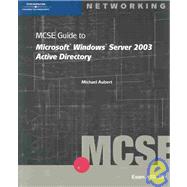
MCSE Guide to Microsoft Windows Server 2003 Active Directory : Exam #70-294
ISBN: 9780619130176 | 0619130172
Edition: 3rd
Format: Paperback
Publisher: Course Technology
Pub. Date: 5/3/2004

Why Rent from Knetbooks?

Because Knetbooks knows college students. Our rental program is designed to save you time and money. Whether you need a textbook for a semester, quarter or even a summer session, we have an option for you. Simply select a rental period, enter your information and your book will be on its way!

Top 5 reasons to order all your textbooks from Knetbooks:

  • We have the lowest prices on thousands of popular textbooks
  • Free shipping both ways on ALL orders
  • Most orders ship within 48 hours
  • Need your book longer than expected? Extending your rental is simple
  • Our customer support team is always here to help
SummaryTable of Contents
Designed to prepare you for the Microsoft MCSE Certification Exam #70-294 and for the challenges you will face as a Microsoft networking professional.
Introductionxvii
Introduction to Active Directory
1(40)
Directory Services Planning and Implementation
2(2)
... MORE
Planning and Implementing an Active Directory Infrastructure
3(1)
Managing and Maintaining an Active Directory Infrastructure
3(1)
Planning and Implementing User, Computer, and Group Strategies
3(1)
Planning and Implementing Group Policy
4(1)
Managing and Maintaining Group Policy
4(1)
Windows Networking Concepts Overview
4(11)
Workgroups
5(4)
Domains
9(6)
Introduction to Windows Server 2003 Active Directory
15(14)
Active Directory Objects
16(1)
Active Directory Schema
16(1)
Active Directory Logical Structure and Components
17(8)
Active Directory Communications Standards
25(1)
Active Directory Physical Structure
26(3)
New Active Directory Features in Windows Server 2003
29(2)
Deployment and Management
29(1)
Security
30(1)
Performance and Dependability
30(1)
Chapter Summary
31(1)
Key Terms
32(2)
Review Questions
34(4)
Case Projects
38(3)
Name Resolution and DNS
41(46)
Name Resolution
42(10)
NetBIOS
43(4)
Domain Name System
47(5)
Understanding the Domain Name System
52(16)
Authoritative Servers
53(2)
The DNS Name Resolution Process
55(8)
Common Errors and Misconceptions About DNS
63(5)
Install and Configure DNS for Active Directory
68(11)
Defining the Namespace
69(1)
Locating Services
69(1)
Resolving Names to IP Addresses
70(1)
Installing Microsoft DNS Server in Windows Server 2003
70(9)
Chapter Summary
79(1)
Key Terms
80(1)
Review Questions
81(3)
Case Projects
84(3)
Active Directory Design Philosophy
87(20)
Introducing Design Philosophy
88(1)
Ownership Roles
89(4)
A Question Of Trust
93(1)
Making Active Directory Design Decisions
94(3)
Design to Support the Organization's Goals
94(1)
Gaining Executive Sponsorship with Documented Value
94(1)
Designing for the Future and the Present
95(1)
Designing to Support the Delegation of Authority
96(1)
Designing to Support the Application of Group Policy
96(1)
Justifying the Design
96(1)
Starting a Design Project
97(2)
Microsoft Solutions Framework (MSF)
97(1)
Microsoft Operations Framework (MOF)
98(1)
The Need for a Vision
99(2)
Chapter Summary
101(1)
Key Terms
102(1)
Review Questions
103(2)
Case Projects
105(2)
Active Directory Architecture
107(34)
Active Directory Physical Database Storage
108(5)
Extensible Storage Engine
109(1)
Active Directory File Structure
110(2)
LDAP
112(1)
Active Directory Schema
113(3)
Naming
116(5)
Object Classe
117(4)
Attributes
121(6)
Active Directory Partitions
127(7)
Schema
130(1)
Configuration
131(2)
Domain
133(1)
Application
134(1)
Chapter Summary
134(1)
Key Terms
135(1)
Review Questions
136(3)
Case Projects
139(2)
Active Directory Logical Design
141(64)
Choosing a DNS Name for Active Directory
142(6)
What Makes a Good DNS Name?
142(1)
Choosing How DNS Names for Internet and Active Directory Are Related
143(3)
Best Practices for Choosing a DNS Name
146(2)
Designing Forests
148(12)
Characteristics of a Forest
151(1)
How Many Forests
152(8)
Designing Domains
160(6)
Functions of a Domain
160(1)
Is It a Security Boundary?
161(1)
Which Works Better: Single or Multiple Domains?
161(1)
Using a Dedicated Forest Root
162(4)
Understanding and Implementing Trust Relationships
166(5)
Transitive Trusts
166(4)
Nontransitive Trusts
170(1)
Designing Organizational Units
171(6)
Best Practices for Designing Organizational Units
172(5)
Upgrading Windows NT or Windows 2000 Domains
177(17)
Active Directory Functional Levels
178(12)
Upgrading Windows NT Domains
190(3)
Upgrading Windows 2000 Domains
193(1)
Chapter Summary
194(2)
Key Terms
196(2)
Review Questions
198(3)
Case Projects
201(4)
Active Directory Physical Design
205(44)
Active Directory Physical Objects
206(15)
Site Objects
207(4)
Subnet Objects
211(3)
Site Link Objects
214(4)
Domain Controllers
218(3)
Planning and Designing the Physical Structure
221(18)
Physical Network
221(1)
Site Topology
222(1)
Site Links
223(7)
Site Link Bridges
230(4)
Domain Controller and Global Catalog Placement
234(5)
Chapter Summary
239(1)
Key Terms
240(1)
Review Questions
241(2)
Case Projects
243(6)
Active Directory Replication
249(54)
Identifying Data to Replicate
250(19)
Identifying Domain Controllers
251(1)
Update Sequence Number
252(4)
High-watermark Value
256(1)
Up-to-dateness Vector
257(2)
Propagation Dampening
259(6)
Conflict Resolution
265(4)
Determining Replication Topology
269(15)
Connection Objects
270(4)
Intra-site Replication
274(3)
Global Catalog Replication
277(1)
Inter-site Replication
278(6)
Controlling Replication Frequency
284(5)
Intra-site Replication Schedule
284(1)
Inter-site Replication Schedule
285(3)
Urgent Replication
288(1)
Password Replication
289(1)
Monitoring and Troubleshooting Replication
289(4)
SYSVOL
293(2)
SYSVOL Replication
294(1)
Troubleshooting SYSVOL Replication
295(1)
Chapter Summary
295(1)
Key Terms
296(1)
Review Questions
297(4)
Case Projects
301(2)
Active Directory Operations Masters
303(26)
Forest-wide Roles
304(5)
Schema Master
304(3)
Domain Naming Master
307(2)
Domain-wide Roles
309(6)
PDC Emulator
309(2)
RID Master
311(1)
Infrastructure Master
312(3)
Transferring and Seizing Roles
315(8)
Transfer Roles
316(4)
Seizing Roles
320(3)
Chapter Summary
323(1)
Key Terms
324(1)
Review Questions
325(2)
Case Projects
327(2)
Active Directory Authentication and Security
329(60)
Security Principles
330(5)
Security Identifiers
331(2)
Access Tokens
333(2)
Permissions and Rights
335(1)
Active Directory Authentication
335(17)
NTLM Authentication
336(4)
Kerberos Authentication
340(2)
Kerberos in Action
342(6)
Down-level Client Authentication
348(1)
Two-factor Authentication
349(1)
Public Key Infrastructure for Authentication with Smart Cards
350(2)
Active Directory Authorization
352(14)
Discretionary Access Control List (DACL)
352(3)
Inheritance
355(1)
Groups in Security
355(1)
Delegation of Control
356(2)
Granular Control
358(8)
Active Directory Auditing
366(5)
System Access Control List (SACL)
367(3)
Auditing Event Categories
370(1)
Protecting Network Resources
371(9)
NT File System (NTFS)
371(3)
Printers
374(1)
File Shares
375(4)
Other Applications
379(1)
Chapter Summary
380(1)
Key Terms
381(2)
Review Questions
383(2)
Case Projects
385(4)
Managing Users, Groups, Computers, and Resources
389(84)
Planning and Administering User Accounts
390(38)
User Classes, Properties, and Schema
390(1)
The Names of a User
391(1)
Name Suffix Routing
392(5)
Creating Users with Active Directory Users and Computers
397(5)
Setting Additional Attributes
402(16)
Resetting Passwords
418(2)
User Account Templates
420(1)
Command-line Utilities
421(1)
Bulk Import and Export
421(5)
Creating and Modifying User Accounts Programmatically
426(2)
Planning and Administering Groups
428(25)
Group Types
429(1)
Group Scopes
430(9)
Managing Security Groups
439(4)
Understanding the Built-in Groups
443(3)
Understanding Special Identities
446(1)
Creating Groups
447(6)
Creating and Managing Computer Accounts
453(5)
Resetting Computer Accounts
458(1)
Publishing Resources
458(2)
Shared Folder
459(1)
Printers
459(1)
Other Resources
460(1)
Organizing Objects in the Directory
460(5)
Organizing and Controlling with Organizational Units
461(2)
Moving Objects between Organizational Units
463(1)
Moving Objects between Domains
464(1)
Chapter Summary
465(1)
Key Terms
466(1)
Review Questions
467(4)
Case Projects
471(2)
Group Policy for Corporate Policy
473(64)
Group Policy
474(9)
Administrative Templates
475(1)
Client-side Extensions
476(1)
Group Policy Storage
476(2)
Creating a Group Policy Object
478(5)
Group Policy Processing
483(15)
Group Policy Priority
485(3)
Modifying Group Policy Priority
488(5)
Controlling Group Policy Application with Permissions
493(2)
Windows Management Instrumentation Filters
495(2)
Slow Link Detection
497(1)
Desktop Management with Group Policy
498(6)
Restricting Windows
498(2)
Folder Redirection
500(3)
Scripts
503(1)
Security Management with Group Policy
504(19)
Account Policies
505(4)
Local Policies
509(3)
Restricted Groups
512(1)
System Services
513(1)
Registry Settings
513(1)
File System
514(1)
Wireless Network Policies
514(1)
Public Key Policies
514(2)
Software Restriction Policies
516(1)
IP Security Policies
516(1)
Security Templates
516(3)
Analyzing Security
519(4)
Using the Group Policy Management Console
523(3)
Troubleshooting Group Policy
526(3)
Troubleshooting Tools
526(3)
Chapter Summary
529(1)
Key Terms
530(2)
Review Questions
532(3)
Case Projects
535(2)
Deploying and Managing Software with Group Policy
537(44)
Preparing Software Deployment
538(5)
Preparing the Software
538(2)
Preparing the Distribution Point
540(2)
Determining Installation Scope
542(1)
Configuring Software Deployment
543(15)
Assigning Applications
543(1)
Publishing Applications
544(4)
Configuring the Deployment
548(10)
Maintaining Deployed Software
558(12)
Mandatory Upgrade
559(1)
Optional Upgrade
560(1)
Redeployment
561(1)
Configuring Automatic Operating System Updates
561(9)
Removing Deployed Software
570(1)
Forced Removal
570(1)
Optional Removal
570(1)
Troubleshooting Software Deployment
571(2)
Troubleshooting Tools
573(1)
Chapter Summary
573(1)
Key Terms
574(1)
Review Questions
575(3)
Case Projects
578(3)
Monitoring and Optimizing Active Directory
581(40)
Using Performance Counters to Monitor Active Directory
582(9)
Performance Console
582(4)
Performance Objects and Counters
586(5)
Maintaining the Active Directory Database
591(8)
Managing Deleted Objects
591(4)
Online Defragmentation
595(1)
Offline Defragmentation
596(3)
Optimizing the Location of Active Directory Files
599(5)
Optimizing File Location
599(2)
Moving Active Directory Files
601(3)
Working with Application Directory Partitions
604(9)
Creating Application Directory Partitions
604(5)
Adding and Removing Application Directory Partition Replicas
609(3)
Deleting Application Directory Partitions
612(1)
Chapter Summary
613(1)
Key Terms
614(1)
Review Questions
615(3)
Case Projects
618(3)
Disaster Recovery
621(32)
Backing up Active Directory
622(6)
Active Directory Backups
623(4)
Backups and the Tombstone Lifetime
627(1)
Identifying Active Directory Corruption
628(4)
Checking File Integrity
628(2)
Checking Database Integrity
630(2)
Recovering Active Directory
632(14)
Soft Recovery
633(1)
Restoring Active Directory
634(7)
Reinstalling Active Directory
641(1)
Repairing Active Directory
641(1)
Creating a Disaster Recovery Plan
642(1)
Determining What to Back Up
642(1)
Determining When to Back Up
643(1)
Determining Where to Back Up
644(1)
Creating and Testing the Plan
645(1)
Chapter Summary
646(1)
Key Terms
647(1)
Review Questions
647(4)
Case Projects
651(2)
Appendix A Exam Objectives for MCSE Certification Exam #70-294: Planning, Implementing, and Maintaining a Microsoft Windows Server 2003 Active Directory Infrastructure
653(1)
Planning and Implementing an Active Directory Infrastructure
653(2)
Managing and Maintaining an Active Directory Infrastructure
655(2)
Planning and Implementing User, Computer, and Group Strategies
657(1)
Planning and Implementing Group Policy
658(1)
Managing and Maintaining Group Policy
659

Related Products


  • 70-294: MCSE Guide to Microsoft Windows Server 2003 Active Directory, Enhanced
    70-294: MCSE Guide to Microsof...
  • MCSA Guide to Managing a Microsoft Window 2000 Network : 70-218
    MCSA Guide to Managing a Micro...
  • MCSA Guide to Managing a Microsoft Windows 2000 Network : Certification Edition
    MCSA Guide to Managing a Micro...
  • Mcse Guide To Microsoft Windows Server 2003 Active Directory, Enhanced: 70-294
    Mcse Guide To Microsoft Window...


Please wait while this item is added to your cart...