Free Shipping On Every Order



Amazon no longer offers textbook rentals. We do!
LabVIEW 2009 Student Edition
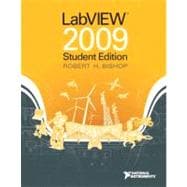
LabVIEW 2009 Student Edition
- ISBN 13:
9780132141291
- ISBN 10:
0132141299
- Edition: 1st
- Format: Paperback
- Copyright: 12/18/2009
- Publisher: Pearson
- Newer Edition
List Price $185.34 Save
| TERM | PRICE | DUE |
|---|---|---|
 Free Shipping Both Ways
Highlight/Take Notes Like You Own It
Purchase/Extend Before Due Date
 Free Shipping On Every Order
List Price $185.34 Save $169.34
In Stock Usually Ships in 24 Hours.
 We Buy This Book Back!
.svg "Free Shipping On Every Order") Free Shipping On Every Order
Free Shipping On Every Order
Note: Supplemental materials are not guaranteed with Rental or Used book purchases.
Extend or Purchase Your Rental at Any Time
Need to keep your rental past your due date? At any time before your due date you can extend or purchase your rental through your account.
Summary
National Instruments' LabVIEW is the defacto industry standard for test, measurement, and automation software solutions. With the LabVIEW 2009 Student Edition, students can design graphical programming solutions to their classroom problems and laboratory experiments with software that delivers the graphical programming capabilities of the LabVIEW professional version. . The Student Edition is also compatible with all National Instruments data acquisition and instrument control hardware.
Note: The LabVIEW 2009 Student Edition is available to students, faculty, and staff for personal educational use only. It is not intended for research, institutional, or commercial use. For more information about these licensing options, please visit the National Instruments website at (http:www.ni.com/academic/)
New LabVIEW software features introduced in this new edition:
- Using VI Snippets to store, share, and reuse small portions of LabVIEW code.
- Quickly finding and placing LabVIEW palette objects with Quick Drop.
- Simplified debugging by managing all LabVIEW probes in one window.
- A Block Diagram Cleanup Tool to automatically arrange portions of code.
- An enhanced set of editing tools for creating icons in the Icon Editor dialog box.
- Many new math plots for 2D and 3D graphs, including 2D compass plots, error plots, and feather plots, and 3D bar plots, comet plots, contour, stem, waterfall, and others.