Free Shipping On Every Order



Amazon no longer offers textbook rentals. We do!
Illustrator CS5 for Windows and Macintosh Visual QuickStart Guide
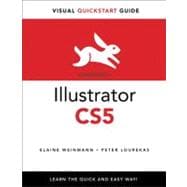
Illustrator CS5 for Windows and Macintosh Visual QuickStart Guide
- ISBN 13:
9780321706614
- ISBN 10:
0321706617
- Edition: 1st
- Format: Paperback
- Copyright: 08/06/2010
- Publisher: Peachpit Press
- Newer Edition
List Price $23.79 Save
| TERM | PRICE | DUE |
|---|---|---|
 Free Shipping Both Ways
Highlight/Take Notes Like You Own It
Purchase/Extend Before Due Date
 Free Shipping On Every Order
List Price $23.79 Save $20.55
In Stock Usually Ships in 24 Hours.
 We Buy This Book Back!
.svg "Free Shipping On Every Order") Free Shipping On Every Order
Free Shipping On Every Order
Note: Supplemental materials are not guaranteed with Rental or Used book purchases.
Extend or Purchase Your Rental at Any Time
Need to keep your rental past your due date? At any time before your due date you can extend or purchase your rental through your account.
Summary
This fully updated edition for Illustrator CS5 covers the essential skills for Illustrator artists, such as drawing geometric and freehand objects; color management; using multiple artboards; applying colors, patterns, and gradients; creating and using brushes; transforming, reshaping, and combining objects; creating and styling type; applying graphic styles and transparency; using the Pen tool; using the live color, paint, trace, and effects features; using symbols; and output.
In this textbook, the new and updated Illustrator CS5 features are clearly marked with bright red stars in both the table of contents and main text.
Among the new CS5 features covered in this volume are bristle brushes, drawing modes, arrows, Width tool, Shape Builder tool, and Mini Bridge. Enhancements to such features as path joining, artboards, pixel-perfect drawing, and Art brushes are also covered.
Readers can follow the steps in a tutorial fashion, or use the textbook as a reference guide to individual program features. Many of the key illustrations used in the book are available via Web download for practice.
Table of Contents
Read moreSupplemental Materials
Read moreRelated Products