FREE SHIPPING BOTH WAYS
ON EVERY ORDER!
LIST PRICE:
$12.99

Sorry, this item is currently unavailable.

Creating a Web Page in Dreamweaver 8 : Visual QuickProject Guide
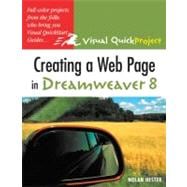
ISBN: 9780321370228 | 0321370228
Edition: 1st
Format: Paperback
Publisher: Peachpit Press
Pub. Date: 1/1/2006

Why Rent from Knetbooks?

Because Knetbooks knows college students. Our rental program is designed to save you time and money. Whether you need a textbook for a semester, quarter or even a summer session, we have an option for you. Simply select a rental period, enter your information and your book will be on its way!

Top 5 reasons to order all your textbooks from Knetbooks:

  • We have the lowest prices on thousands of popular textbooks
  • Free shipping both ways on ALL orders
  • Most orders ship within 48 hours
  • Need your book longer than expected? Extending your rental is simple
  • Our customer support team is always here to help
SummaryTable of Contents
You may not be a professional Web designer, but you do want to design a decent Web page. There's no place better to start than with the de facto tool of choice for just about anybody creating Web pages and this slim, low-priced guide to it! The same things that have made Dreamweaver so popular with the pros--an easy-to-use, no-nonsense interface and a slew of features and utilities--also make it the perfect tool for your purposes. This full- guide provides the quickest route to creating a fun and functional Web page with it. Each short chapter ... MORE
... MORE
introductionvii
what you'll createviii
how this book worksx
the web sitexii
useful toolsxiii
the next stepxiv
welcome to dreamweaver
1(7)
explore dreamweaver
2(2)
set up local site
4(4)
extra bits
8(25)
create a basic home page
9(1)
create your home page
10(2)
add text
12(2)
insert image placeholder
14(2)
create headings
16(3)
create lists
19(2)
set page background
21(1)
create CSS rules
22(7)
change CSS rules
29(2)
extra bits
31(2)
add images
33(14)
image tools
34(1)
add image
35(2)
crop image
37(2)
adjust brightness
39(1)
reduce image
40(2)
wrap text with images
42(2)
align text with image
44(1)
extra bits
45(2)
add tables
47(14)
add a table
48(2)
add image to table
50(2)
add labels
52(2)
import tabular data
54(2)
edit table
56(1)
format table colors
57(1)
sort tables
58(2)
extra bits
60(1)
use style sheets
61(14)
create style sheet
62(3)
attach style sheets
65(2)
apply external styles
67(2)
add to style sheet
69(3)
create custom rule
72(2)
extra bits
74(1)
create links
75(14)
link text internally
76(2)
link text externally
78(1)
color site links
79(3)
add email link
82(1)
add anchor link
83(2)
link image
85(1)
create image map
86(2)
extra bits
88(1)
reuse items to save time
89(18)
create a favorite
90(1)
create a library item
91(2)
edit library item
93(1)
insert library item
94(2)
create a template
96(4)
use your template
100(3)
edit template
103(2)
extra bits
105(2)
add navigation
107(18)
add layers
108(3)
name layers
111(1)
position layers
112(3)
create main nav-bar
115(3)
create small nav-bar
118(5)
extra bits
123(2)
publish site
125(14)
add search terms
126(2)
check and fix links
128(2)
explore the files panel
130(2)
connect to remote site
132(2)
upload multiple files
134(2)
upload a single page
136(1)
extra bits
137(2)
index139

Related Products


  • Creating a Web Page in Dreamweaver : Visual QuickProject Guide
    Creating a Web Page in Dreamwe...
  • Creating a Web Site in Dreamweaver Cs3 : Visual QuickProject Guide
    Creating a Web Site in Dreamwe...
  • Creating a Web Site in Dreamweaver CS4: Visual QuickProject Guide
    Creating a Web Site in Dreamwe...


Please wait while this item is added to your cart...