FREE SHIPPING BOTH WAYS
ON EVERY ORDER!
LIST PRICE:
$148.75

OUR PRICE:
$28.75

You may extend rentals at any time.


Computers in the Medical Office with Student Data CD-ROM
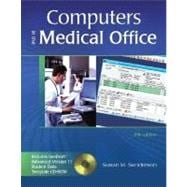
ISBN: 9780073112138 | 0073112135
Edition: 5th
Format: Paperback
Publisher: Career Education
Pub. Date: 7/10/2006

Why Rent from Knetbooks?

Because Knetbooks knows college students. Our rental program is designed to save you time and money. Whether you need a textbook for a semester, quarter or even a summer session, we have an option for you. Simply select a rental period, enter your information and your book will be on its way!

Top 5 reasons to order all your textbooks from Knetbooks:

  • We have the lowest prices on thousands of popular textbooks
  • Free shipping both ways on ALL orders
  • Most orders ship within 48 hours
  • Need your book longer than expected? Extending your rental is simple
  • Our customer support team is always here to help
SummaryTable of Contents
Computers in the Medical Office, Fifth Edition offers medical office training using full-featured, state-of-the-art software and current, realistic medical office cases while building transferable computerized medical billing and scheduling skills. Students who complete this course will learn the appropriate terminology and skills to use any patient billing software program with minimal additional training. This text/workbook introduces and simulates medical office billing situations using Medisoft Advanced Version 11, the widely used medical o... MORE
... MORE
Introduction To Computers In The Medical Office
The Medical Office Billing Process
Preregister Patients
Establish Financial Responsibility for Visit
Check in Patients
Check Out Patients
Review Coding Compliance
Check Billing Compliance
Prepare and Transmit Claims
Monitor Payer Adjudication
Generate Patient Statements
Follow up Patient Payments and Handle Collections
Information Technology and HIPAA Medical Office Applications Electronic Medical Records Electronic Prescribing Practice Management Advantages of Computer Use A Note of Caution: What Computers Cannot Do HIPAA and Electronic Exchange of Information HIPAA Electronic Transaction and Code Sets Standards Privacy Requirements Security Requirements
Medisoft Advanced Patient Accounting Training
Introduction to Medisoft What is Medisoft?
How Medisoft Data are Organized and Stored Medisoft Databases
The Student Data CD Starting Medisoft and Loading Practice Data
The Medisoft Menu Bar
The Medisoft Toolbar Entering and Editing Data Changing Dates in Medisoft Saving Data Deleting Data Using Medisoft Help Exiting Medisoft Making a Backup File While Exiting Medisoft File Maintenance Utilities Rebuilding Indexes Packing Data Purging Data Recalculating Patient Balances
Entering Patient Information How Patient Information is Organized in Medisoft Entering New Patient Information Name, Address Tab Other Information Tab Payment Plan Tab Adding an Employer to the Address List Searching for Patient Information Search for and Field Option Locate Buttons Option: Field Value, Search Type, Fields Editing Patient Information On Your Own Exercises On Your Own
Entering a New Patient
Entering Insurance, Account, and Condition Information Working with Cases When to Set Up a New Case Case Command Buttons Creating a New Case for a New Patient Personal Tab Account Tab Diagnosis Tab Policy 1 Tab Policy 2 Tab Policy 3 Tab Condition Tab Miscellaneous Tab Medicaid and Tricare Tab Comment Tab EDI Tab Editing Case Information on an Established Patient On Your Own
Creating a Case for a New Patient
Entering Charge Transactions and Patient Payments Transaction Entry Overview
The Transaction Entry Dialog Box Patient/Account Information Charge Transactions Color Coding in Transaction Entry Payment/Adjustment Transactions Entering Payments Made During Office Visits Printing Walkout Receipts On Your Own
Enter Procedure Charges and a Patient Payment On Your Own
Print a Walkout Receipt
Creating Claims Introduction to Health Care Claims Creating Claims Create Claims Dialog Box Claim Selection Editing Claims Carrier 1 Tab Carrier 2 and Carrier 3 Tabs Transactions Tab Comment Tab Electronic Claims Steps in Submitting Electronic Claims Sending Electronic Claim Attachments Changing the Status of Claims On Your Own
Create Insurance Claims
Posting Insurance Payments and Creating Patient Statements Third-Party Reimbursement Overview Remittance Advice (RA)
Processing Steps for Processing a Remittance Advice Entering Insurance Carrier Payments in Medisoft Entering Insurance Payments Applying Insurance
Payments to Charges Entering Capitation Payments and Adjustments Creating Statements Statement Management Dialog Box
Create Statements Dialog Box Editing Statements General Tab Transactions Tab Comment Tab Printing Statements Selecting a Format
Table of Contents provided by Publisher. All Rights Reserved.

Related Products


  • Computers in the Medical Office
    Computers in the Medical Office
  • Computers in the Medical Office
    Computers in the Medical Office
  • Computers in the Medical Office
    Computers in the Medical Office
  • Computers in the Medical Office with Student CD-ROM
    Computers in the Medical Offic...
  • Glencoe Computers in the Medical Office : Using Medisoft for Windows
    Glencoe Computers in the Medic...
  • Glencoe Computers in the Medical Office : Using MediSoft for Windows Advanced, Student Text
    Glencoe Computers in the Medic...


Please wait while this item is added to your cart...